









 By Tetyana Vinokurova
For B2B SaaS mobile products, prototyping is not a decorative step between wireframes and development. It is how teams test whether the product can be understood, trusted, and used repeatedly on a small screen before engineering time is spent.
Why SaaS mobile prototyping is different
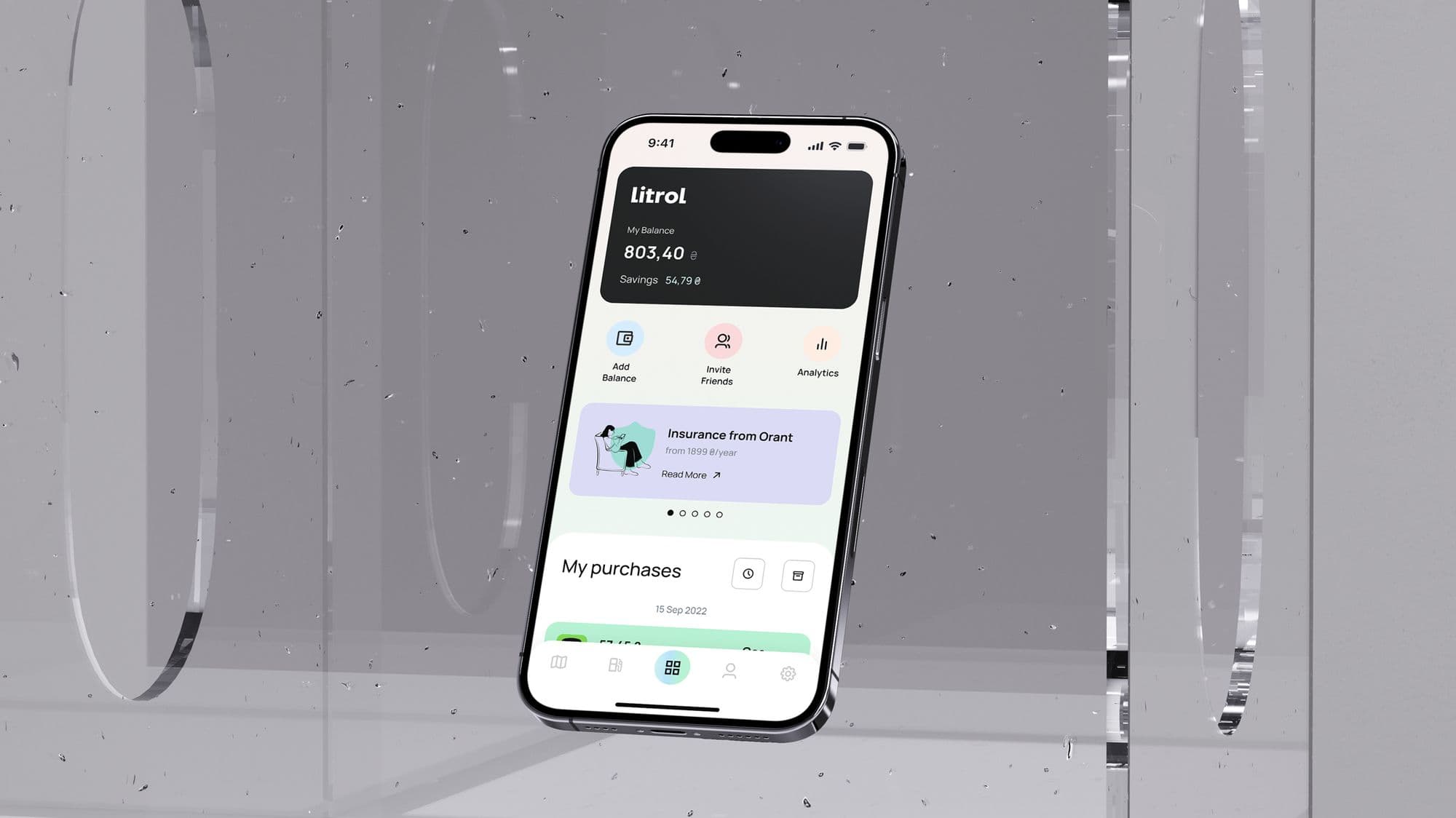
A SaaS mobile interface often compresses a complex product into a small, interrupted environment. Users may need to review data, approve an action, manage tasks, receive alerts, or complete a workflow while away from a desktop. The prototype has to prove that the mobile experience is not just a smaller dashboard, but a focused product surface.
This is where many SaaS teams make the wrong tradeoff. They design static screens that look clean in a presentation, but they do not test navigation, onboarding, permissions, loading states, or the moment where the user has to make a decision. A clickable prototype exposes those gaps early.
What a SaaS mobile prototype should test
- Onboarding: can a new user understand the product value and complete the first meaningful setup?
- Core workflow: can the user complete the main SaaS action without switching to desktop?
- Information hierarchy: does the screen show the right data first, or does it recreate a dense dashboard?
- Permissions and trust: do access, billing, team, data, or notification requests feel clear and safe?
- Empty and error states: does the product still guide users when there is no data or something fails?
- Retention loops: does the prototype show why a user would return tomorrow, not just finish one task today?
Low-fidelity vs high-fidelity prototypes
Low-fidelity prototypes are best for structure: routes, sequence, screens, and the shape of the workflow. They are fast to change and useful when the team is still debating product logic. High-fidelity prototypes are better for trust, interaction detail, mobile patterns, and stakeholder confidence.
For SaaS mobile products, both levels matter. Starting too polished can hide weak product thinking. Staying too rough for too long can make it hard to evaluate credibility, perceived speed, and whether the product feels professional enough for paid users.
A practical prototyping workflow
- Define the product question: what decision should the prototype help the team make?
- Map the main user path: onboarding, first action, success state, and return path.
- Add the non-happy paths: empty states, permissions, validation errors, loading, and offline moments if relevant.
- Prototype the interaction: navigation, transitions, input behavior, modal states, and feedback.
- Test with realistic prompts: ask users to complete a task instead of asking whether they like the design.
- Translate findings into build scope: keep what proves the product, cut what only makes the prototype bigger.
What founders and product teams should look for
When reviewing a SaaS prototype, do not only ask whether it looks good. Ask whether a user knows what to do next, whether the screen reduces anxiety, whether the copy explains the action, and whether the mobile experience supports the real business model.
- Activation: does the prototype help a new user reach a useful moment quickly?
- Comprehension: can users explain what the product does after using the flow?
- Confidence: do sensitive actions, data, billing, or team permissions feel safe?
- Efficiency: does mobile save time, or does it force users through desktop-style complexity?
- Build clarity: can developers see components, states, edge cases, and priority without guessing?
Real-world impact
On a logistics SaaS concept, prototyping showed that users valued speed and clarity over a dense dashboard. The early screens tried to show too much operational data at once. Once the prototype focused on the next action, exception handling, and a clearer status model, the mobile experience became easier to understand and easier to build.
That is the business value of prototyping: it turns subjective design debate into product evidence. The team can see what confuses users, what slows them down, and what should be simplified before development begins.
Bottom line
SaaS mobile prototyping helps teams avoid building a polished version of the wrong workflow. It connects product design, UX, UI, copy, and development scope before the cost of change becomes high.
Frequently asked questions.
Need this done instead of just read about it?
99 Francs is a senior product studio working outcome-based: no upfront payment, a fixed price per phase, and you pay at the end of a phase — only once you've seen it working. Tell us what you're building, and we'll reply with a phased plan and a fixed quote within one working day.