Spatial UX and hierarchy
Viewer structure, floor plans, zones, assets, maps, 3D scenes, navigation and labels that help users understand the physical system.

HQ Paphos, Cyprus · worldwide
99 Francs® designs digital twin UX/UI for smart buildings, BIM, IoT products, real estate platforms, operational dashboards, control systems and MVP demos.
Twin UX system
Building state review
Operator question
Which zone changed, why did it change and what should I do next?
Zone
A3
Signal
24C
Action
Tune
The interface should explain the physical system before asking the user to control it.
The work covers spatial hierarchy, viewer layouts, dashboards, data layers, legends, controls, alerts, simulation states, user roles and prototype flows that help people understand and operate a physical system through software.
A digital twin interface has to reveal location, state, history and control without overwhelming the operator or hiding the important signal.
Viewer structure, floor plans, zones, assets, maps, 3D scenes, navigation and labels that help users understand the physical system.
Temperature, occupancy, lighting, energy, equipment, alerts, trends and status views organized around decisions rather than raw data.
Modes, thresholds, scenario controls, permissions, playback, comparisons and safe action patterns for operational workflows.
Clickable product demos and investor-ready prototypes that show the twin, data layers and business value before full integration.
We design location context, legends, visual layers and state changes so users know where an issue is and why it matters.
We turn technical data into product decisions: what is normal, what changed, what needs attention and what action is safe.
We define when the scene leads, when the dashboard leads and how the user moves between spatial and analytical views.
We create polished prototypes and demo flows that explain the value without requiring a full production data stack first.
We map the space, asset, equipment, data sources, user roles and the real decisions the digital twin must support.
We design viewer navigation, data layers, dashboard hierarchy, controls, legends, alerts and key operational states.
You get realistic digital twin screens, clickable flows and developer notes for frontend implementation or stakeholder demos.
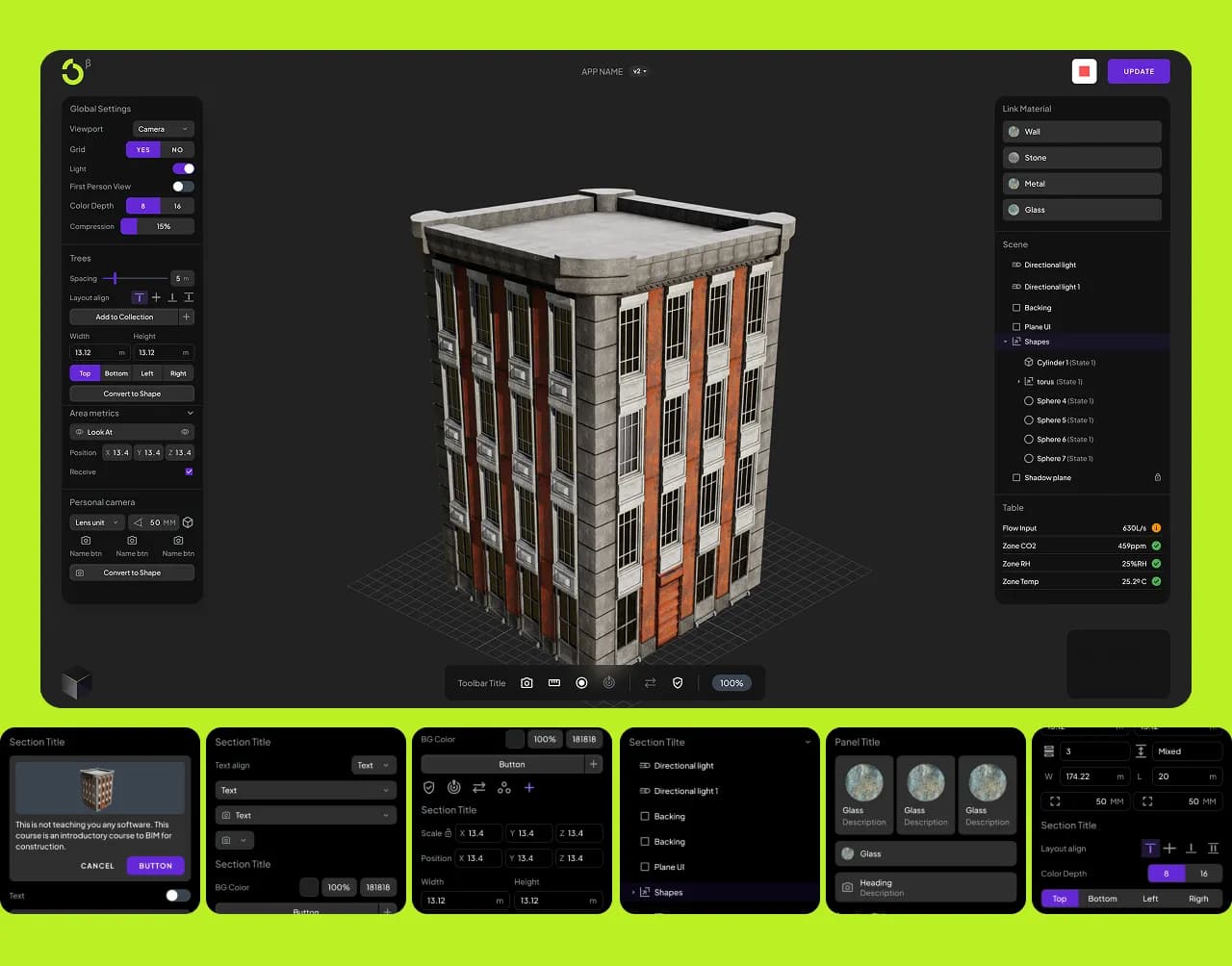
Visual coding
Web application for visual BIM coding with a modular interface and Framer landing pages showcasing 3D capabilities. Educational positioning with engaging, technical visuals.
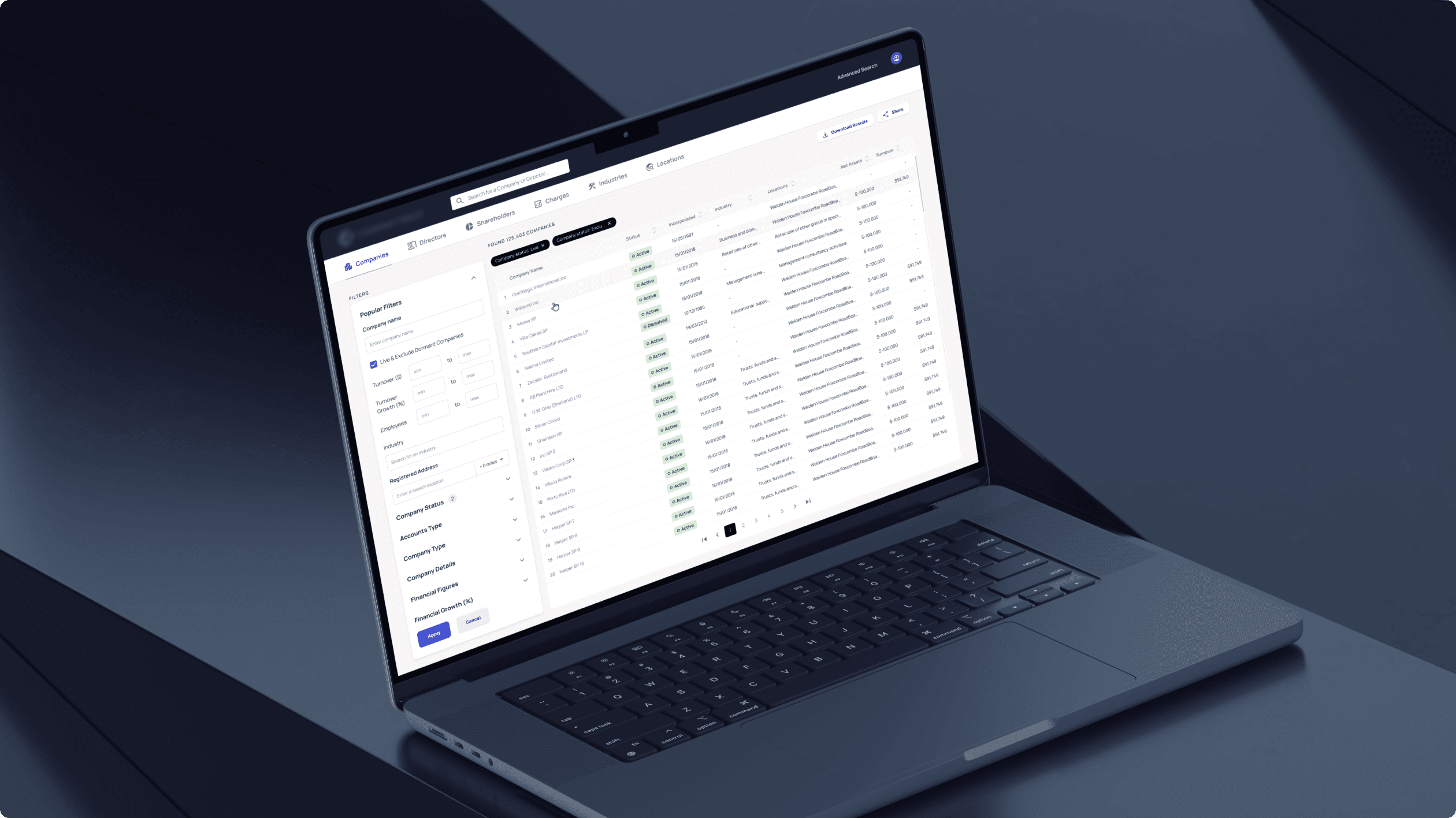
Search tool
B2B analytics platform for evaluating financial health and company credibility. Advanced filtering, credit scoring, and financial performance graphs for professional users.
This page is design-first. 99 Francs also offers digital twin development for teams that need a working frontend, dashboard, viewer or product demo.