








Readiness audit
We run your app in the iPhone Duo simulator in Xcode, folded and unfolded, and report every screen that clips, letterboxes, hides content under the fold or camera, or loses state when the device opens.

HQ Paphos, Cyprus · worldwide
iPhone Duo goes on sale on 23 October with a 7.6-inch inner display. We audit how your app behaves when it unfolds, design the larger layouts and ship the SwiftUI or UIKit changes, so it looks made for the device rather than stretched onto it.
150+
shipped projects
$32M+
raised by clients
9,000+
tasks delivered
Apple asks apps to lay out by size class rather than by device or orientation, and to stay clear of the fold and camera through its reserved regions APIs. Apps built with older versions of Xcode do not extend beneath the status bar and camera areas. We find where your app breaks, design what the inner display should show, and build it.
Each step can be ordered on its own. Most teams start with the audit and decide from there.
We run your app in the iPhone Duo simulator in Xcode, folded and unfolded, and report every screen that clips, letterboxes, hides content under the fold or camera, or loses state when the device opens.
Layouts that use the 7.6-inch screen: two-column and split views, list-and-detail navigation, and larger content areas, while the cover display keeps a normal iPhone layout.
Size-class driven layouts, NavigationSplitView where it fits, reserved regions for the fold and camera, and state that survives folding and unfolding, built with the Xcode release that supports Duo.
Folded, unfolded and rotated states checked in the simulator, regression checks on standard iPhones, and an App Store update with screenshots that show the larger display.
At $1,999, iPhone Duo is the most expensive iPhone yet. The people who buy it are the users you least want to see a stretched or letterboxed app.
Lists with detail views, dashboards, reading, shopping, maps and editors gain the most from a second column on the inner display.
Code that reads the screen size, the device idiom or the orientation is what Apple tells developers to replace. We find it and move it to size classes.
Start with the audit. You get a list of what breaks and what it takes to fix, and decide whether to adapt now or later.
The audit sets the scope. Design and build only cover what your app actually needs on the larger display.
Folded, unfolded and rotated runs of your key flows, with a written list of issues and their fix.
Which screens get two columns, a split view or more content, and which simply grow.
SwiftUI or UIKit changes, reserved regions, state handling, and regression checks on standard iPhones.
App Store build and new screenshots for the larger display.
Our own products on Apple platforms, built natively in SwiftUI: a live App Store app with widgets, a world clock for iPhone, Mac and Apple Watch, and an AI camera for iPhone.
iOS App · Widgets
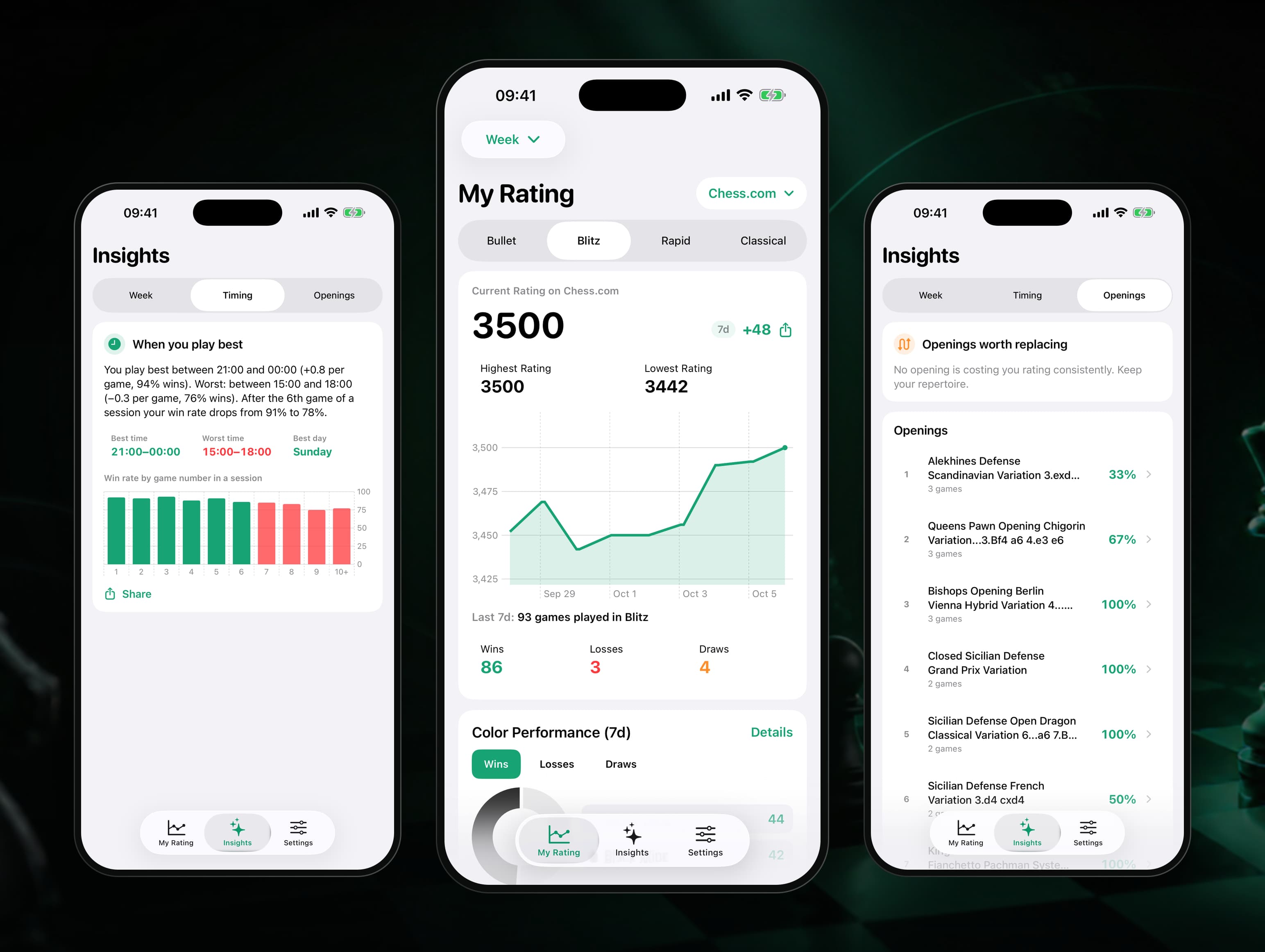
Our own iPhone app and home-screen widget that puts Chess.com and Lichess ratings in one place and explains why they move: tilt check, best hours, openings that cost points, goals and a Sunday report. SwiftUI, WidgetKit and StoreKit 2 on a Node and Postgres backend, designed, shipped and run by 99 Francs.
Mobile App · iOS, Android, Mac, Watch
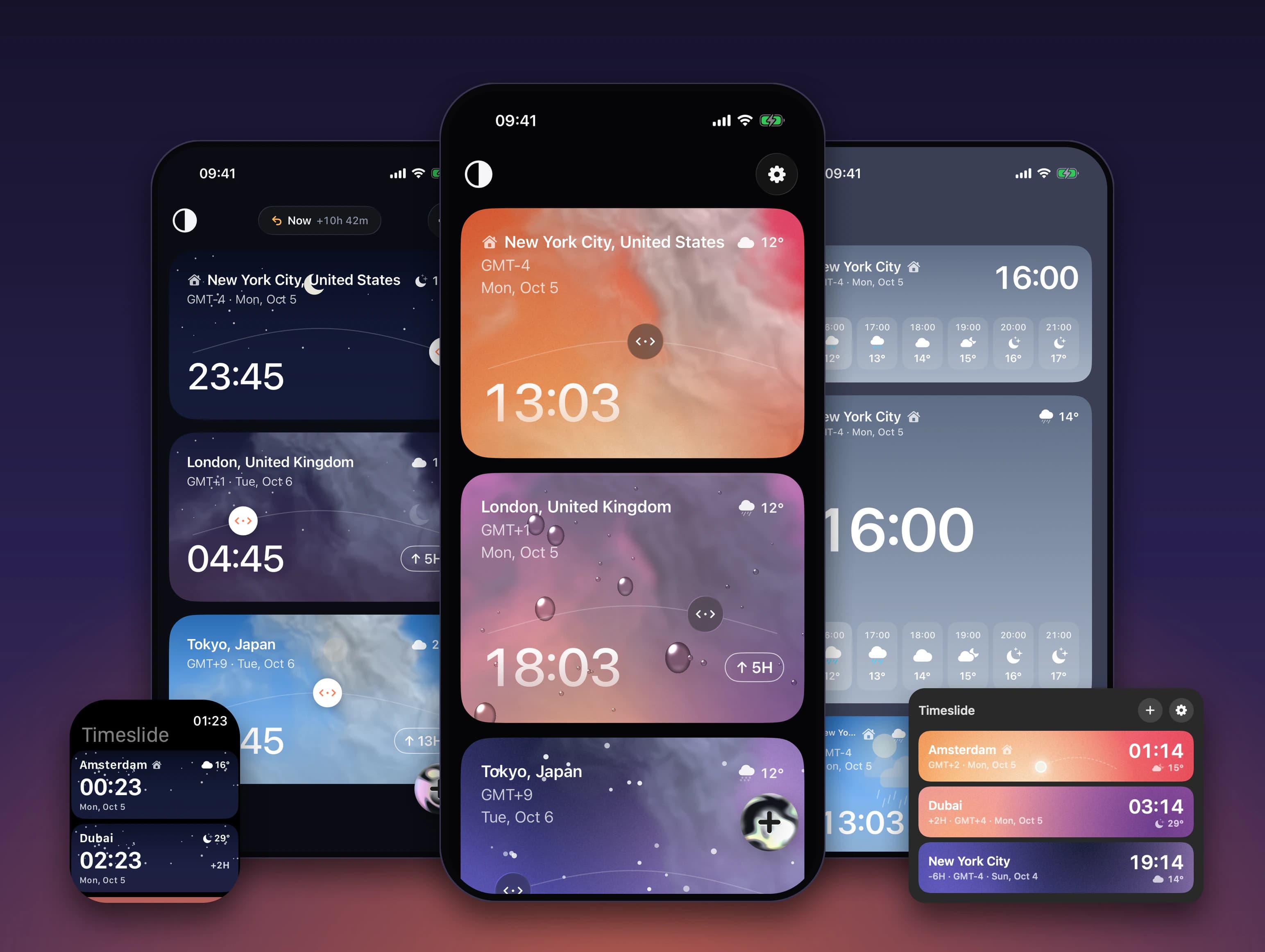
Our own world clock where every city is a card: drag one sideways and a single shared time moves across all of them, with the weather for that hour. Built natively for iPhone, Android, Mac and Apple Watch, with widgets, GPU weather shaders and 8 languages. On Google Play; the iPhone app is in beta.
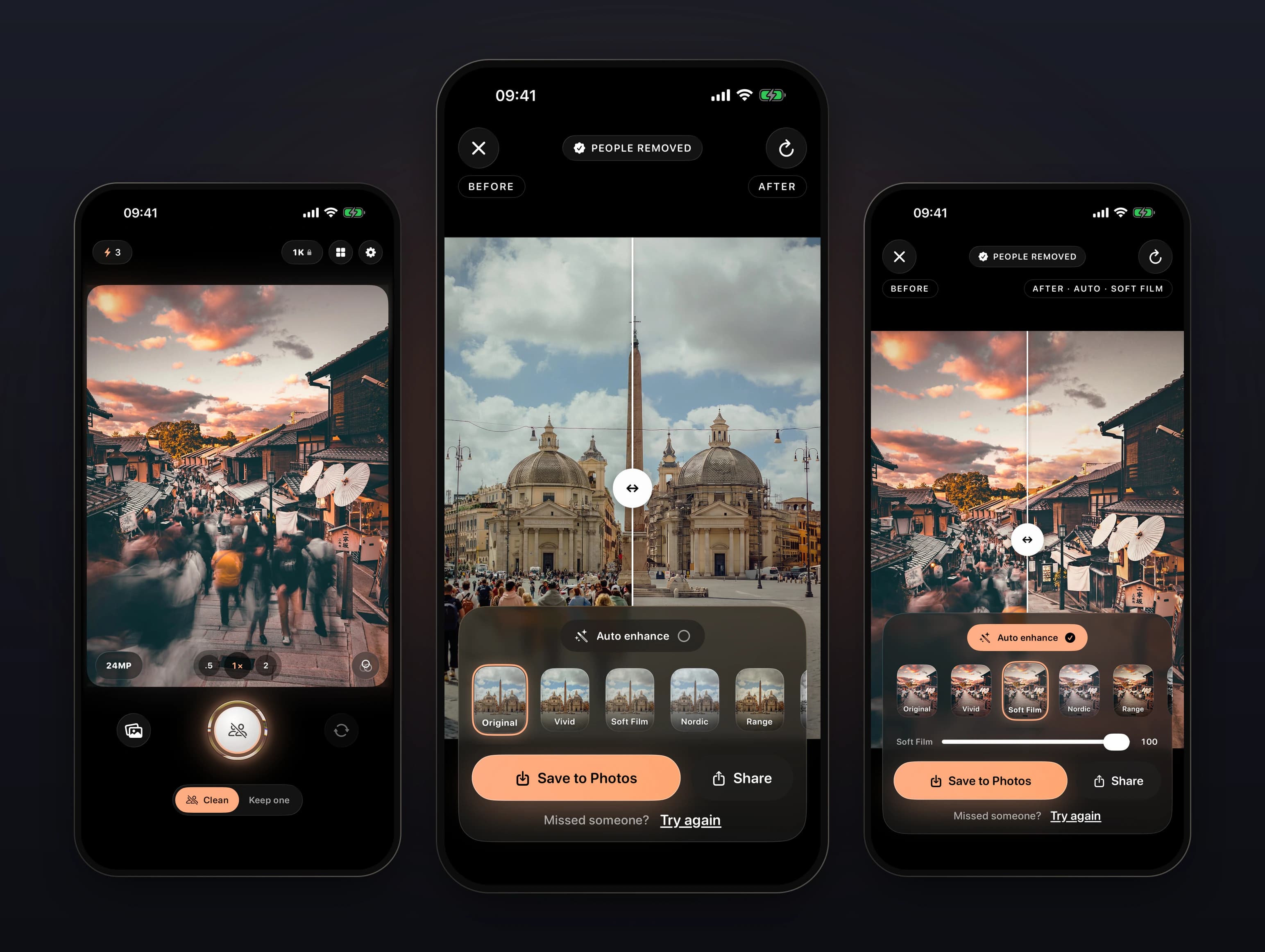
Mobile App · AI
Our own iPhone camera that removes tourists and strangers from travel photos in one tap, or keeps just the person you choose. People are found on the phone with Vision, a cloud model repaints only inside that mask, and a Node and Postgres backend charges only for results. iPhone and Android, in review on both stores.
Find out how your app looks when it unfolds.
Send the App Store link. We start with the audit and tell you what it takes before any build work.
Discuss a Duo adaptation→It depends on how many screens need a new layout, which the audit shows. Tell us about the app and we will reply with an estimate. New iOS apps are covered on our iOS app development page.