











The site is really an application
Logged-in dashboards, heavy client-side state and real-time screens belong in React or Next.js. Astro can host a few islands, not a product.

HQ Paphos, Cyprus · worldwide
99 Francs® builds websites in Astro that ship as plain HTML with JavaScript only where it is needed, and moves WordPress, Webflow and Framer sites to Astro without losing their URLs, content or metadata.
Fixed USD prices, paid when it's done: landing pages from $1,500, marketing sites from $3,000, migrations $1,500–5,000. No upfront payment.
150+
shipped projects
$32M+
raised by clients
9,000+
tasks delivered
The service covers Astro pages and components, Markdown and MDX content, multilingual routing, forms, analytics, metadata, sitemap and redirects, plus content audits, URL maps and QA for migrations. You get the repository and a site that deploys to any static host.
A migration keeps what search engines and visitors already know about the site: its URLs, its content and its metadata.
Every migration starts with a content audit and a URL map, and ends with a page-by-page comparison against the old site. What changes from platform to platform is where the content comes from and what has to be rebuilt.
Content export · URL map · 301s
Posts and pages are exported to Markdown or MDX and images are optimised. Plugin features such as forms, SEO fields and sitemaps are rebuilt in code or dropped on purpose. A site that depends on a WordPress-only plugin may be better left where it is.
CMS export · Design kept
CMS collections become Astro content collections and the design is rebuilt in code to match the live site. The price is the visual editor: if your team publishes in Webflow every week, keep Webflow.
Design kept · Static output
Framer pages are rebuilt as Astro components with the same layout and motion, and any CMS content moves to Markdown. You gain the code and the hosting choice, and lose Framer's canvas for editing.
Audit · Redirects · QA
A content audit, the URL map and 301 redirects, metadata and canonicals, sitemap and robots, analytics and forms, QA against the old site, and a handoff. A redesign or a CMS integration is quoted separately.
Moving the other way, off Webflow to Next.js, is covered on the Webflow to Next.js page, and all our moves are listed under Webflow migration and moves away from it.
If one of these describes your project, a different tool will cost you less over the life of the site.
Logged-in dashboards, heavy client-side state and real-time screens belong in React or Next.js. Astro can host a few islands, not a product.
A team that publishes without a developer is better served by Webflow or Framer. Astro can sit on a headless CMS, but that integration is a project of its own.
Editorial workflows with several non-technical authors are what WordPress and Webflow already do well. Moving them to files in a repository takes that away.
If a booking, listings or CRM plugin carries the business and has no equivalent, migrating means rebuilding the plugin, not the pages.
The tool should follow what the site has to do and who will edit it. This is how we weigh Astro against the platforms we also build on.
| Compared on | Astro | Next.js | WordPress | Webflow |
|---|---|---|---|---|
| Best for | Content, marketing and portfolio sites, docs | Web apps and product-like sites | Existing sites and plugin-driven features | Visually edited marketing sites |
| JavaScript in the browser | None by default; only inside islands | A React and router runtime | Depends on the theme and plugins | Webflow's runtime plus your interactions |
| Content editing | Markdown and MDX files, or a headless CMS | Code, or a headless CMS such as Payload | The WordPress admin | The Webflow Editor and CMS |
| Hosting | Any static host or plain nginx | A Node server or a platform that runs Next.js | PHP and a database to maintain | Webflow hosting, billed by Webflow |
| You own the code | Yes | Yes | Yes, plus plugin licences | No, the site lives in Webflow |
The build should not flatten the design or create a maintenance problem. We keep implementation decisions tied to performance, content ownership, responsive behavior and the launch goal.
Pages are built to plain HTML and ship almost no JavaScript. Where a page needs interaction, such as a form, a calculator or a search box, only that component loads as an island.
Posts, case studies and pages live as typed Markdown or MDX files in the repository, so content is versioned with the code. When a team needs a CMS, we connect a headless one and quote that separately.
Language routing, hreflang tags and translated metadata are built in from the first page. Kyrylo Savenkov's site runs in English and Ukrainian this way.
Titles, canonicals, sitemap, robots, structured data, analytics, forms and redirects are set up and checked before launch. You get the repository and a handoff note, and the output deploys to any static host.
One focused static page: design, build, forms, analytics and launch.
A multi-page static site; the price scales with page count, languages and interactive islands.
A small 5–8 page site starts at the lower figure; content-heavy sites run to about the upper one. CMS integration or a redesign is quoted separately.
No deposit on anything. A landing page, a marketing site or a straightforward migration is paid in one payment at the end, once it is delivered and working. A custom or complex build is split into fixed-price phases, each paid when it is delivered.
Marketing sites, landing pages, portfolios, blogs and documentation are what Astro is built for: HTML first, with JavaScript only for the parts that need it.
Static output has no application server or database to patch, and it can usually run on a free or low-cost static host or on a plain nginx server.
The site is a repository of components and Markdown files, not a project that lives inside a platform. Any developer can take it over, as Kyrylo Savenkov did with his own site.
Astro routing makes separate URLs per language straightforward, with hreflang and translated metadata for each page.
The process keeps design, content, CMS, integrations, QA and launch readiness in one line so the final site is easier to ship and maintain.
For a new site we agree pages, content, languages and integrations. For a migration we crawl the existing site and audit its content, URLs, metadata, forms and analytics before anything is rebuilt.
We define the components, the content collections and, for a migration, the URL map: which address stays, which one gets a 301, and which page is retired.
We build the pages, components and content, then add the interactive islands, forms, analytics, metadata, sitemap and redirects the scope calls for.
We compare the new site with the old one page by page, check redirects, links, forms and metadata, launch, and hand over the repository with notes for whoever maintains it next.
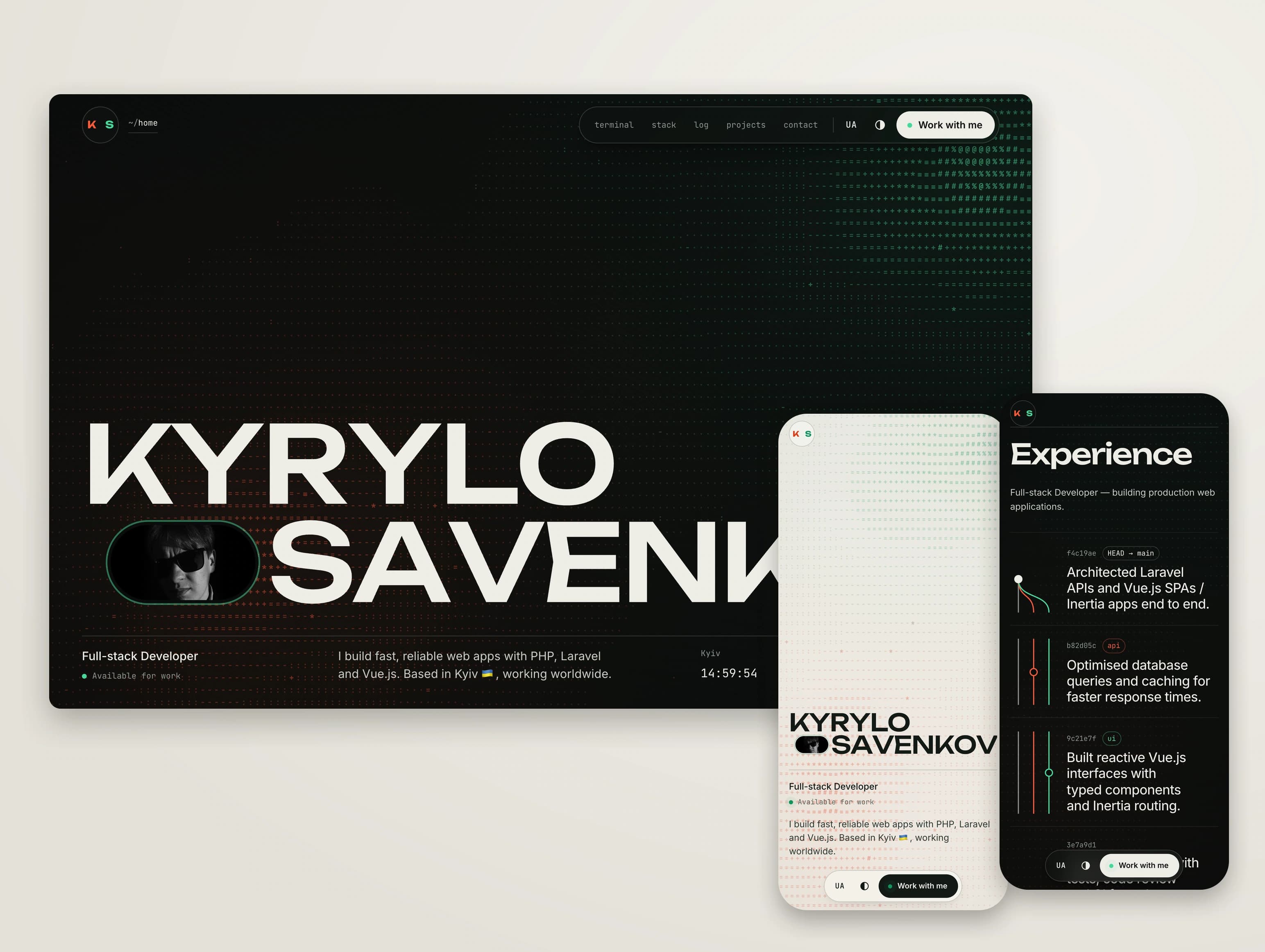
Kyrylo Savenkov's personal site is our Astro work: designed by us, built on an Astro foundation we delivered, and developed further by its owner. The A1 Sure Services case shows the URL map, redirects and QA we apply to every migration.
Web design · Astro
Personal website for Kyrylo Savenkov, a full-stack developer in Kyiv. We designed it and built the Astro foundation: a terminal résumé, a Laravel-and-Vue seam panel, English and Ukrainian versions, and a light and a dark theme. Kyrylo has developed it further himself.
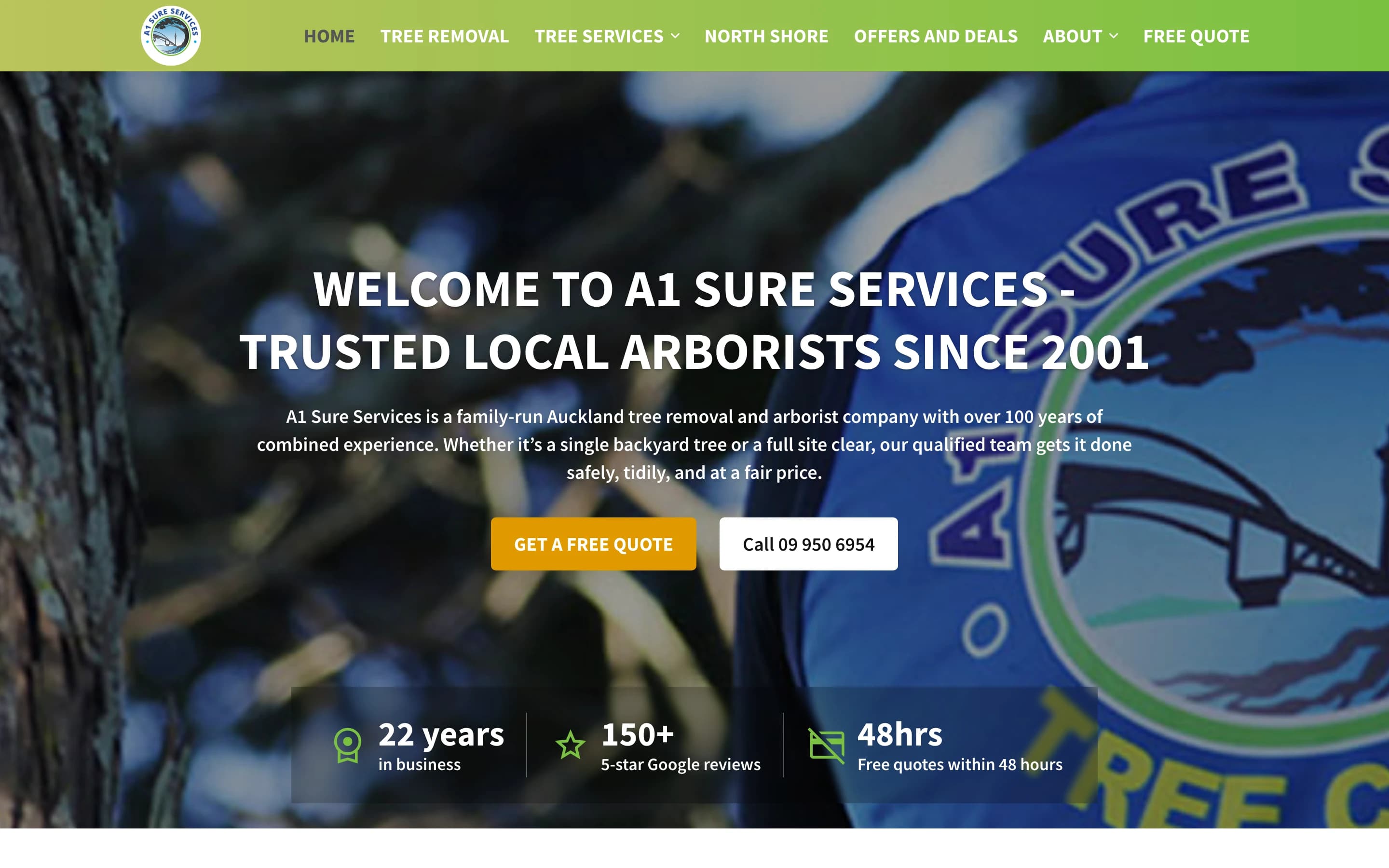
Webflow migration · WordPress
WordPress and Divi site of a family-run Auckland arborist moved to Webflow as the contractor for Glasshouse Digital: 36 pages and 155 blog posts rebuilt on their original URLs, 257 tag archives closed with one rule, 34 redirects verified and zero broken links on the final crawl before the domain switch.
Astro suits a marketing website that is mostly content, like Kyrylo Savenkov's Astro site: pages ship as HTML with JavaScript only in the islands that need it. Choose Next.js when the site behaves like an application. With 99 Francs, an Astro landing page starts from $1,500 and a marketing website from $3,000.
With 99 Francs, a migration to Astro costs $1,500–5,000: a small 5–8 page site from $1,500, content-heavy sites to about $5,000. Move when a developer maintains the site and it is mostly content; keep WordPress when editors or a plugin depend on it.
If the site is mostly content, ship it as static pages and keep the code.
With 99 Francs, an Astro landing page starts from $1,500 and a multi-page marketing website from $3,000, scaling with page count, languages and interactive islands. Prices are fixed and agreed before work starts, with no upfront payment: a landing page or marketing site is paid in one payment at the end, once it is delivered and working. See how we work for the full model.
Choose Astro for a website that is mostly content: marketing pages, a blog, a portfolio, documentation. Choose React and Next.js when the site behaves like an application, with accounts, dashboards, heavy client state or complex data. Astro sends HTML and loads JavaScript only where a component needs it. The longer comparison is in Astro or Next.js for a marketing website.
It depends on who edits the site. Astro gives a faster, simpler site with no database or plugins to update, and you own the code. WordPress gives non-technical editors an admin and a plugin for almost everything. Choose Astro when a developer maintains the site, and keep WordPress when a plugin or an editorial team depends on it. See Should you move a WordPress site to Astro?
Yes. We audit the content, build a URL map with 301 redirects, rebuild the pages in Astro and compare the new site with the old one before launch. A small 5–8 page site starts from $1,500 and content-heavy sites run to about $5,000. CMS integration or a redesign is quoted separately. The method is the same one we used to move A1 Sure Services from WordPress to Webflow without a broken link at launch.
Use Webflow or Framer when your team edits pages visually and publishes without a developer. Webflow is stronger for CMS-heavy sites with many editors; Framer for lighter, design-led sites. Use Astro when a developer maintains the site, speed and cost of running matter, and you want to own the code.
Astro builds static files, so the site can run on any static host, including free or low-cost plans, or on your own nginx server, as Kyrylo Savenkov’s site does. There is no application server or database to patch. You choose and pay the host directly; we can set it up and hand it over.