 New Zealand
 Norway
 Malta
 UAE








Tools like Lovable, Bolt, Cursor, Claude Code, Codex, Base44, v0 and Replit have changed how products start. A founder can get from an idea to clickable, working screens in a weekend, and that prototype is worth keeping: the flows, the copy and the data model are real decisions. What a demo never shows is everything around the happy path. This guide covers what tends to break when real users and real money arrive, how to decide between fixing and rebuilding, and what the work costs. If you already have a prototype, our AI prototype to product page explains how we review and finish one. If it has already broken in front of real users, start with what to do when a Lovable app breaks in production.
What breaks when real users arrive
The failures are rarely in the screens. They sit in places a demo never visits: who can read which data, what happens when a payment fails, what a user sees when the network drops. Two public data points show the scale. In May 2025, Semafor reported that two engineers scanned 1,645 Lovable-built apps featured on Lovable's site and found 170 that let anyone read their users' data, including names, email addresses and API keys. In Veracode's 2025 study of AI-generated code, 45% of code samples failed security tests. Neither figure means your app is broken; both mean it is worth checking before launch.
- Data access. Many AI-built apps talk to Supabase or Firebase straight from the browser. That is safe only if every table has access rules (Row Level Security in Supabase) that match who should see what. A rule that is switched on but too broad still exposes everything.
- Secrets in the browser. Keys for OpenAI, Stripe or an email service end up in front-end code, where anyone can copy them and run up your bill. They belong on a server or in an edge function.
- Authentication edge cases. Sign-up works in the demo; password reset, email verification, expired sessions, roles and admin pages hidden only by the interface often do not.
- Payments. A checkout that works once is not a billing system. Stripe webhooks need to be verified and handled once, failed and refunded payments need a path, and the app has to know who has paid after a renewal fails.
- Errors and empty states. When an API times out or a list is empty, generated code often shows a blank screen or a raw error. Real users hit these on day one.
- Data you cannot lose. No migrations, no backups and a schema that changes with every prompt are fine for a demo and dangerous once customers have entered data.
- Cost and speed. Unbounded AI calls, queries that load whole tables and images served at full size work with ten test users and get slow and expensive with a thousand.
- Store review. Apple requires in-app account deletion for apps with sign-up, privacy labels must match what the app collects, and new personal Google Play developer accounts must run a closed test with at least 12 testers for 14 days before going to production.
- Ownership. The code should live in your repository, and hosting, database, domain and store accounts in your name, so you are not locked into one tool or one freelancer.
Fix it or rebuild it?
Most prototypes are worth finishing rather than rewriting. The work so far holds real product decisions, and a rebuild throws away weeks for a reason the user never sees. A rebuild makes sense only when fixing would cost more than starting clean, and that is something a review should tell you with numbers, not a sales pitch.
| Keep and fix when | Rebuild when | |
|---|---|---|
| Stack | A mainstream stack: React or Next.js, Supabase or Postgres, a standard auth provider | The app only runs inside a builder you cannot export from, or the export is unreadable |
| Data model | Tables match the product: users, the core objects and their relations | Data is duplicated or stored in shapes every new feature has to work around |
| Core flow | The main user journey works and needs hardening, not redesign | The product has changed direction and most screens no longer fit |
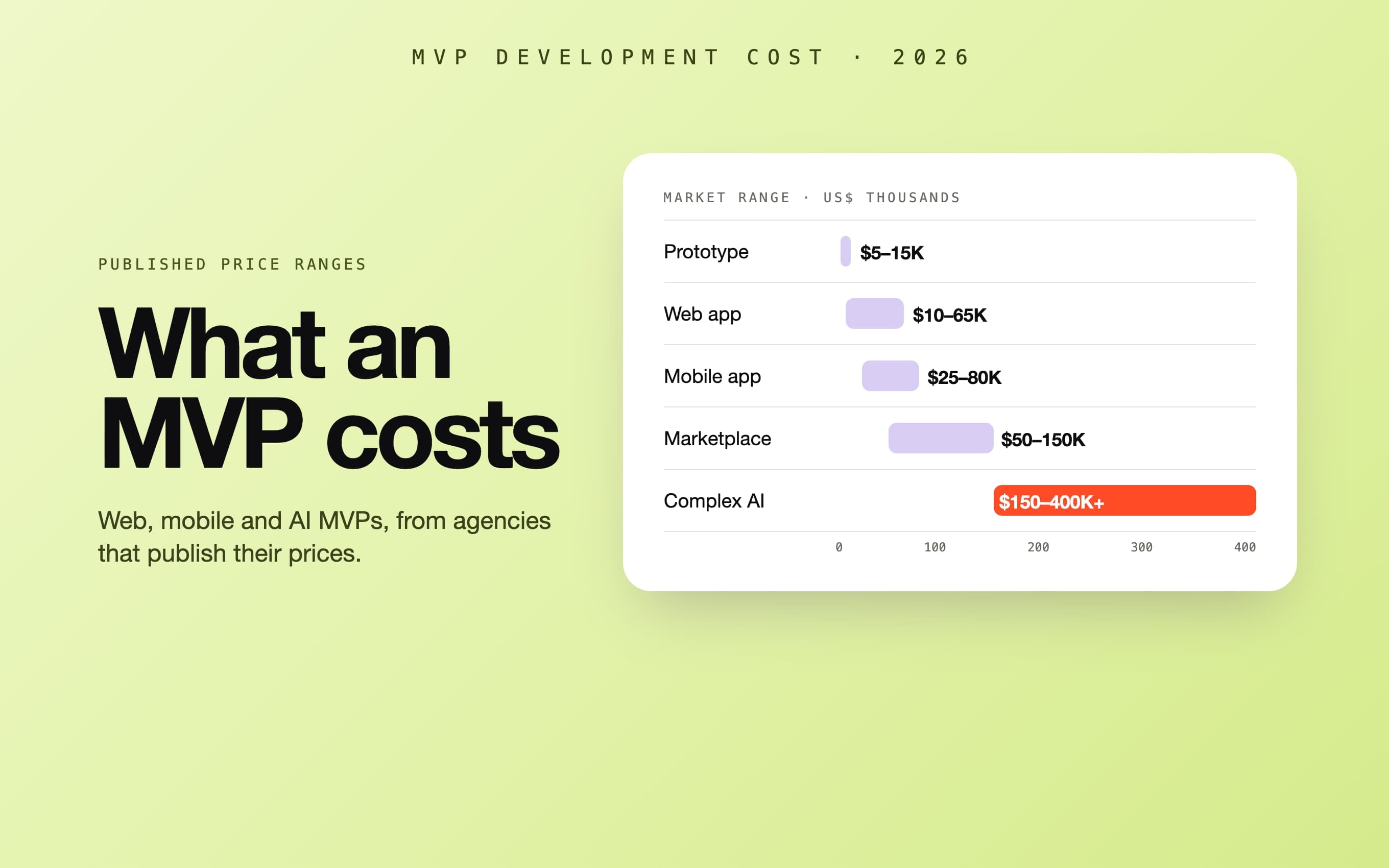
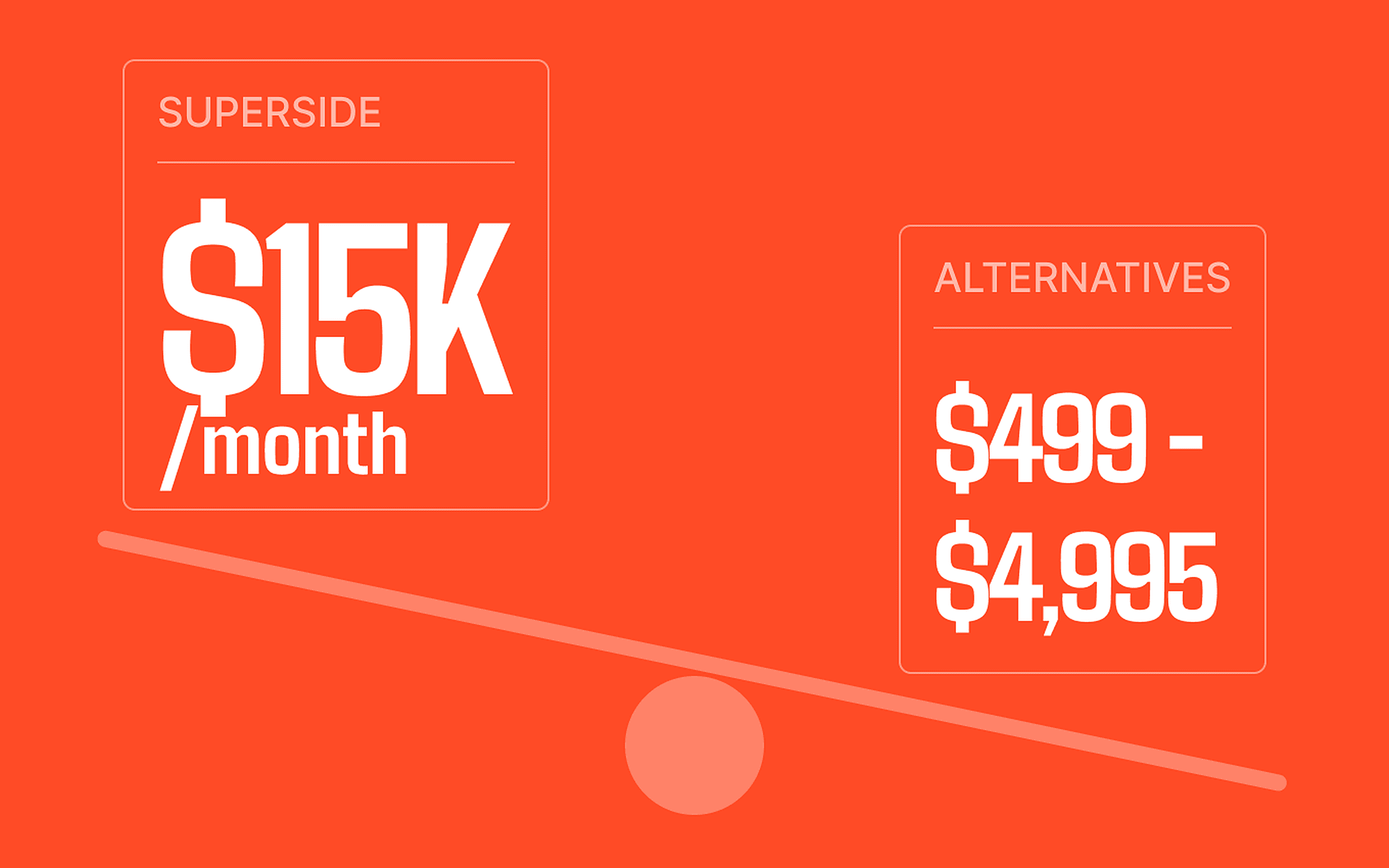
| Typical cost with 99 Francs | One fix from US$1,000; a full production pass US$2,000–5,000 | An MVP rebuild: US$5,000–8,000 for a tight web app, US$8,000–15,000 for a bigger one |
What it costs: published prices
A handful of studios now publish prices for this work. Their scopes differ, and so do their currencies, so the table keeps each figure as published:
| Provider | Review or audit | Fixes | Full pass or rebuild |
|---|---|---|---|
| Relux Works | US$3,000, one week | Stabilisation sprint from US$10,000, 2–3 weeks | Typically US$15,000–40,000, quoted after the audit |
| Rocking Tech | Code health review £1,950, seven working days | Discovery sprint £4,500, three weeks | Custom build from £25,000, 8–16 weeks |
| Wavect | Coverage pass €750; full audit quoted | €600 or €1,200 per repair | Implementation quoted per stage |
| Afterbuild Labs | Free diagnostic call | US$1,500–3,500 per integration; US$2,500–5,000 for a security pass | US$1,500–5,000 production-readiness pass; US$8,000–25,000 migration |
| 99 Francs | Free written review within 48 hours | One fix from US$1,000 | Full production pass US$2,000–5,000; rebuild at MVP prices from US$5,000 |
Sources, checked 7 November 2026, each from the studio's own page: Relux Works, Rocking Tech (prices plus VAT), Wavect (net of tax) and Afterbuild Labs (ranges from the body of its April 2026 report; its FAQ gives different figures). For what a new build costs from scratch, see our guide to MVP development cost.
What a production pass includes
- Every problem from the review fixed: data access rules, secrets moved off the client, authentication and payments hardened.
- Error, loading and empty states on the screens users actually reach.
- Design polish of the key screens, so the product looks as trustworthy as it now is. Most teams that do this work are developers only; we design and build in one team.
- Deployment to hosting, a database and a domain in your own accounts, with backups.
- Error reporting and basic uptime checks, so you hear about a problem before your users do.
- For mobile apps, a release to the App Store and Google Play under your own developer accounts.
- A short handover: what was changed, what to watch, and how to keep building with your AI tool without undoing the fixes.
How we work on an AI-built prototype
You send a link to the app and read access to the code. Within 48 hours you get a written review: what will break with real users, in order of risk, and a fixed price to fix it, or a straight answer that a rebuild would be cheaper. The review is free and you can take it to anyone. If you go ahead, the price does not change while we work, and you pay once it is done and you have seen it running, with no deposit. We build and run our own apps on Google Play, so store reviews, crash reports and real users are our everyday work, not a one-off.