





The horizon becomes the dial
Planet and tuner share one circle. The dive interpolates the globe's outline on screen into the dial's circle, so the edge of the Earth literally turns into the scale.

HQ Paphos, Cyprus · worldwide
Spin the globe, aim at a country and dive in: the edge of the planet bends into an analog tuner with that country’s stations laid out from west to east. 40,000+ live stations from 200+ countries, built natively for iPhone, Apple Watch, Mac and Android, plus a web player. The web player is live; the apps are in review on the App Store and Google Play.
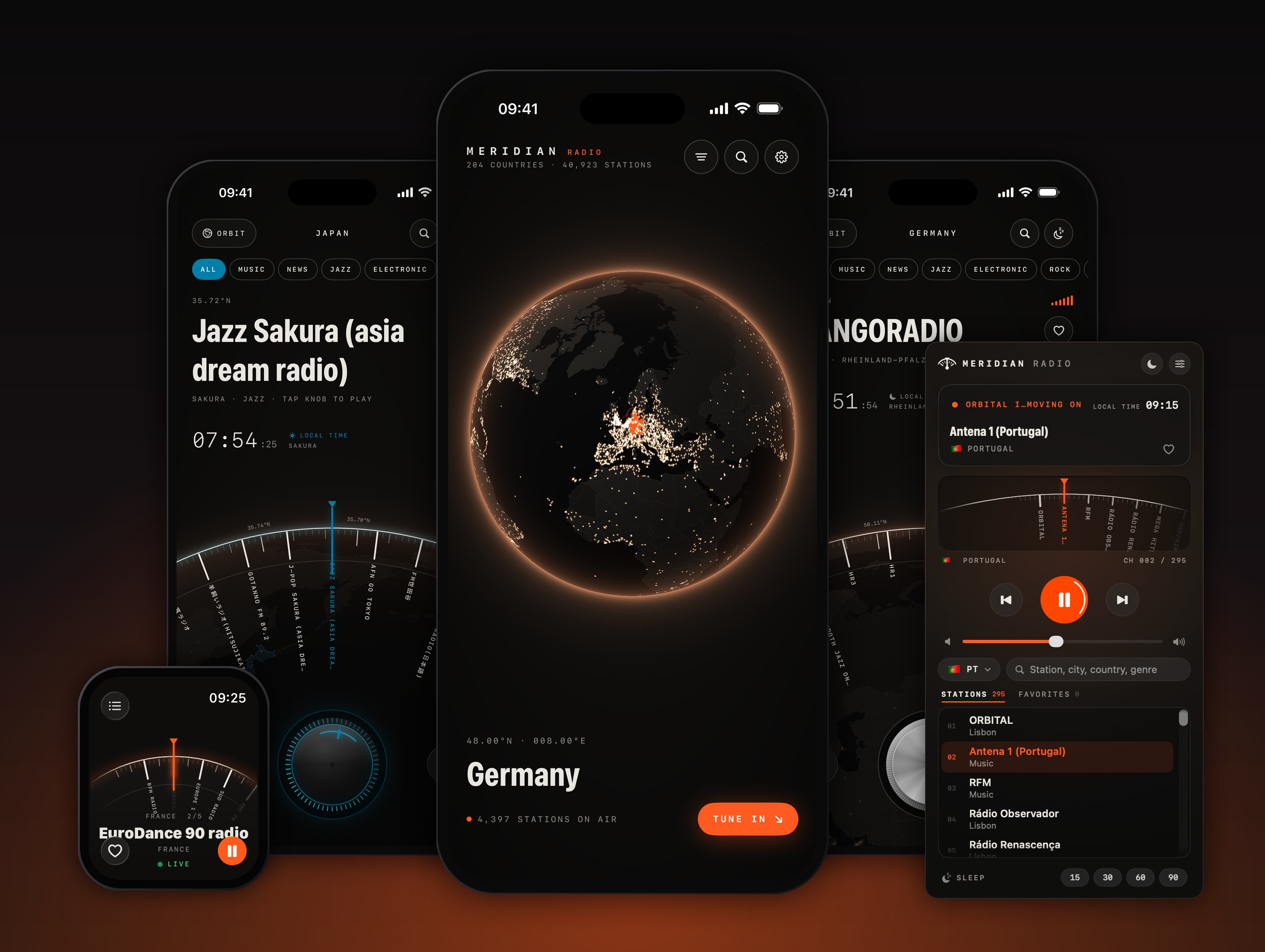

Meridian Radio is a SwiftUI and Metal app for iPhone with widgets, an Apple Watch app and a Mac menu-bar app, a Kotlin and Jetpack Compose port for Android, and an Astro and WebGL2 web player. All of them read one station catalog of 40,000+ stations from 200+ countries. The web player is live; the apps are in review on the App Store and Google Play.
Most radio apps are long lists of logos. We wanted the feeling of turning a real receiver, except that the band spans the planet — and a product of our own that pushes design, graphics and audio as far as a native app can go.
Planet and tuner share one circle. The dive interpolates the globe's outline on screen into the dial's circle, so the edge of the Earth literally turns into the scale.
Stations sit on the dial from west to east, or north to south in tall countries. The readout under the needle is a live latitude, and every station shows its city's local time.
There are no city lights on the globe. Every glowing point is a real station, drawn from one density texture, and the stations of the country under the reticle pulse.
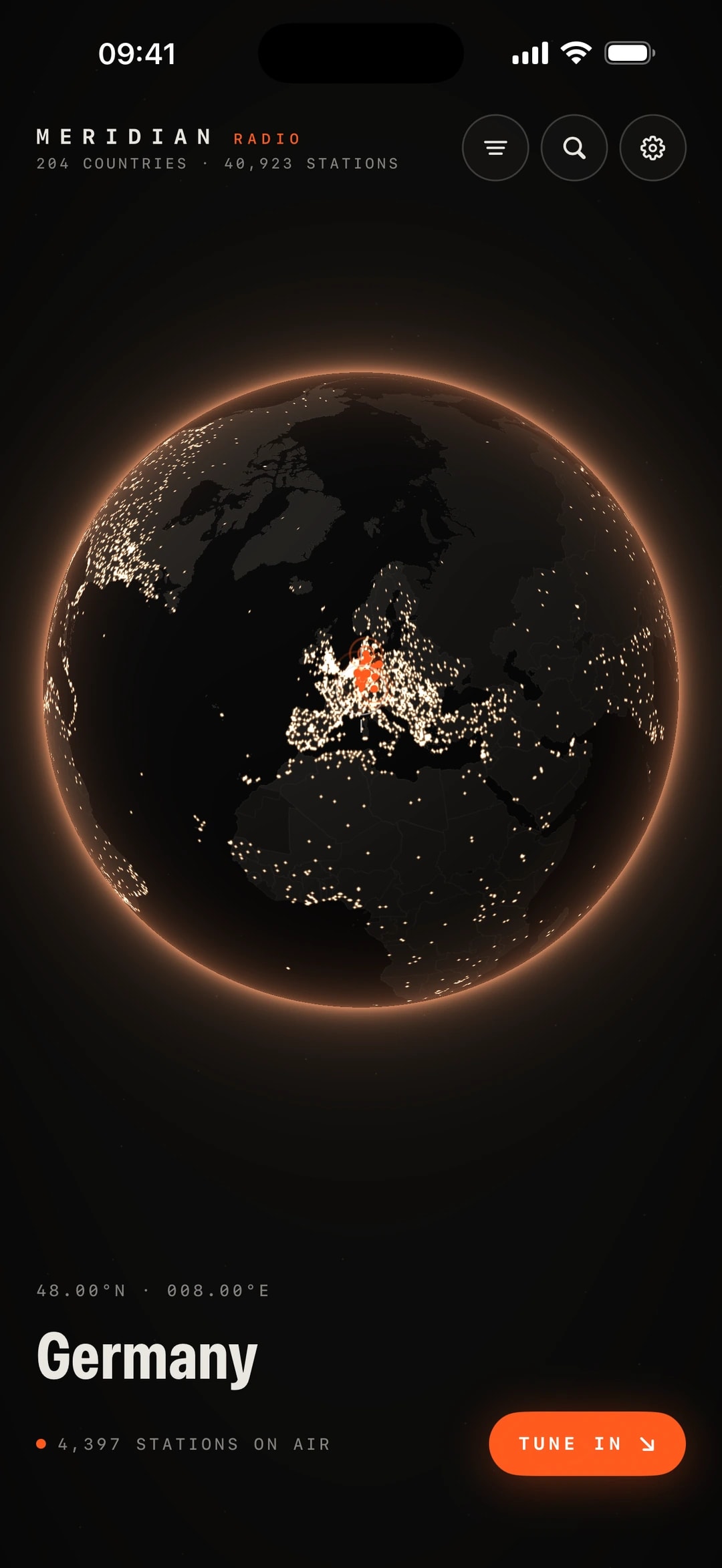
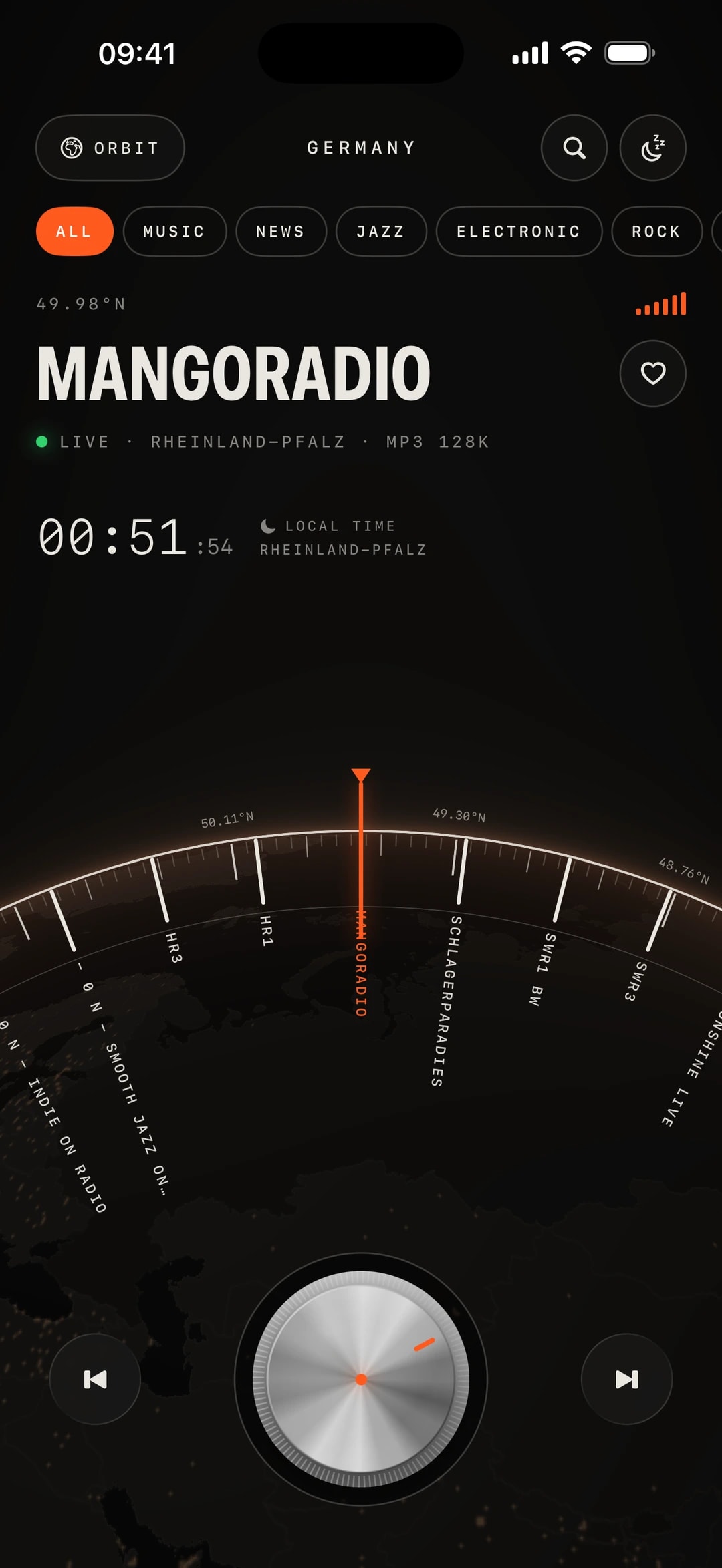
The globe is ray-traced in a single fragment shader. Tap Tune in and the camera dives: the planet’s circle morphs into the dial’s circle, the scale is engraved along the horizon, static rises and the first station locks. Turn the heavy knob and stations click into place with haptic detents; between them you hear synthesized static, as on a real receiver.
One team did all of it: the concept and design, five native surfaces, the shared catalog and tooling, the store listings and the web player.
Orbit, dive and tuner as one continuous move, in an “Instrument” style: engraved scales, warm monochrome, one signal orange, a heavy knob with haptic detents.
The full Radio Browser directory, geocoded against GeoNames, with brands de-duplicated and names cleaned. One stations.json feeds every app; the watch and the web get their own trimmed copies.
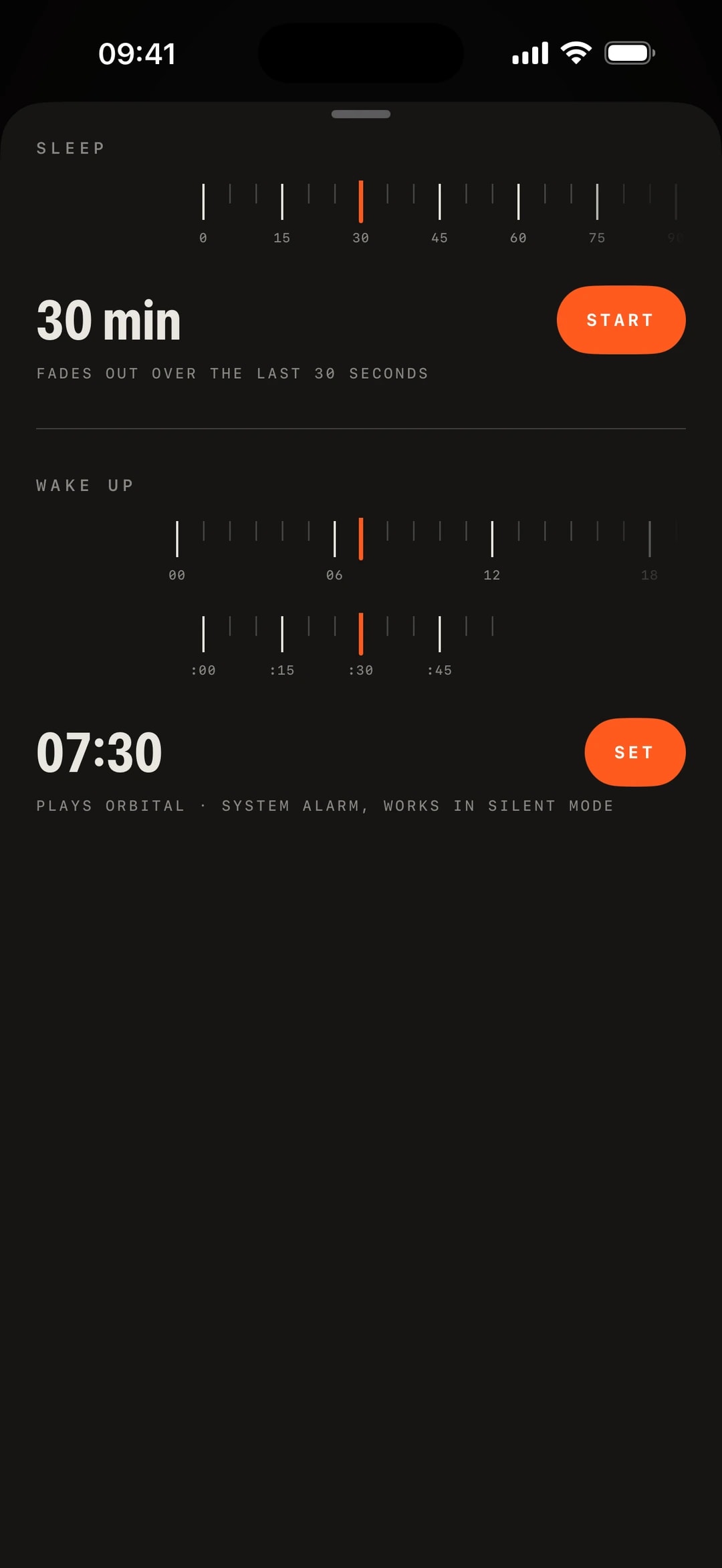
SwiftUI and a Metal globe for iOS 26, background audio, Now Playing, AlarmKit wake-up alarm, sleep timer, Home Screen and Lock Screen widgets, and 8 languages switched inside the app.
Kotlin and Jetpack Compose, one to one with the iPhone: the same shader in OpenGL ES 3, the same dial physics and unit tests, Media3 playback and a home-screen widget.
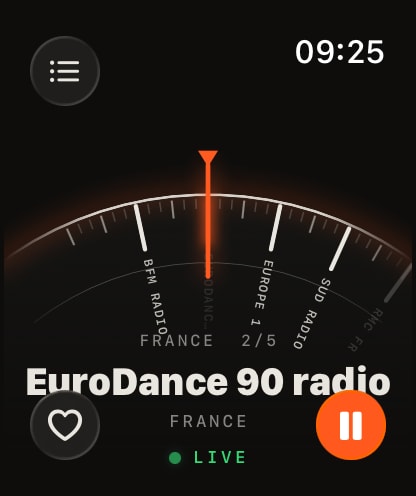
An Apple Watch app with complications that syncs with the phone, a Mac menu-bar app, and a web player in Astro and WebGL2 on Cloudflare Pages that doubles as the landing site.
Keyword research per storefront, listings in 10 locales on both stores, screenshot sets for iPhone, Apple Watch, Mac and Google Play. All of it is now in review.
The Android app is a port, not a rewrite of the idea: the same shader, the same physics with the same unit tests, the same names. Where the platforms differ, each gets its own native API.
| Area | iPhone · Swift | Android · Kotlin |
|---|---|---|
| Planet and dive | Metal: a ray-traced orthographic globe in one fragment shader | OpenGL ES 3 GLSurfaceView, the same shader ported to GLSL |
| Camera, dial physics, layout, switching | Swift, pure logic, unit-tested | Kotlin, a line-for-line port with the same unit tests |
| Playback | AVPlayer, background audio, Now Playing and lock screen | Media3 ExoPlayer and MediaSessionService, with notification and lock screen |
| Static between stations | An AVAudioEngine source node: filtered noise, crackle, a heterodyne whistle | AudioTrack streaming the same synthesis |
| Screens | SwiftUI: splash, orbit, tuner, sheets | Jetpack Compose: the same screens, a Canvas dial, a metal knob |
| Wake-up alarm | AlarmKit system alarm with a “Play radio” button | AlarmManager.setAlarmClock and a service that starts the station itself |
| Haptics | Core Haptics and UIImpactFeedback | VibrationEffect primitives: tick, click, heavy click |
| Glass controls | iOS 26 Liquid Glass | RenderEffect blur on Android 12+, a translucent fallback below |
| 8 languages | L10n.swift, generated from one strings.json | L10n.kt, generated from the same file |
| Data | The bundled station catalog, Natural Earth borders | The same catalog and textures, copied in at build time |
iPhone · Metal: a ray-traced orthographic globe in one fragment shader
Android · OpenGL ES 3 GLSurfaceView, the same shader ported to GLSL
iPhone · Swift, pure logic, unit-tested
Android · Kotlin, a line-for-line port with the same unit tests
iPhone · AVPlayer, background audio, Now Playing and lock screen
Android · Media3 ExoPlayer and MediaSessionService, with notification and lock screen
iPhone · An AVAudioEngine source node: filtered noise, crackle, a heterodyne whistle
Android · AudioTrack streaming the same synthesis
iPhone · SwiftUI: splash, orbit, tuner, sheets
Android · Jetpack Compose: the same screens, a Canvas dial, a metal knob
iPhone · AlarmKit system alarm with a “Play radio” button
Android · AlarmManager.setAlarmClock and a service that starts the station itself
iPhone · Core Haptics and UIImpactFeedback
Android · VibrationEffect primitives: tick, click, heavy click
iPhone · iOS 26 Liquid Glass
Android · RenderEffect blur on Android 12+, a translucent fallback below
iPhone · L10n.swift, generated from one strings.json
Android · L10n.kt, generated from the same file
iPhone · The bundled station catalog, Natural Earth borders
Android · The same catalog and textures, copied in at build time
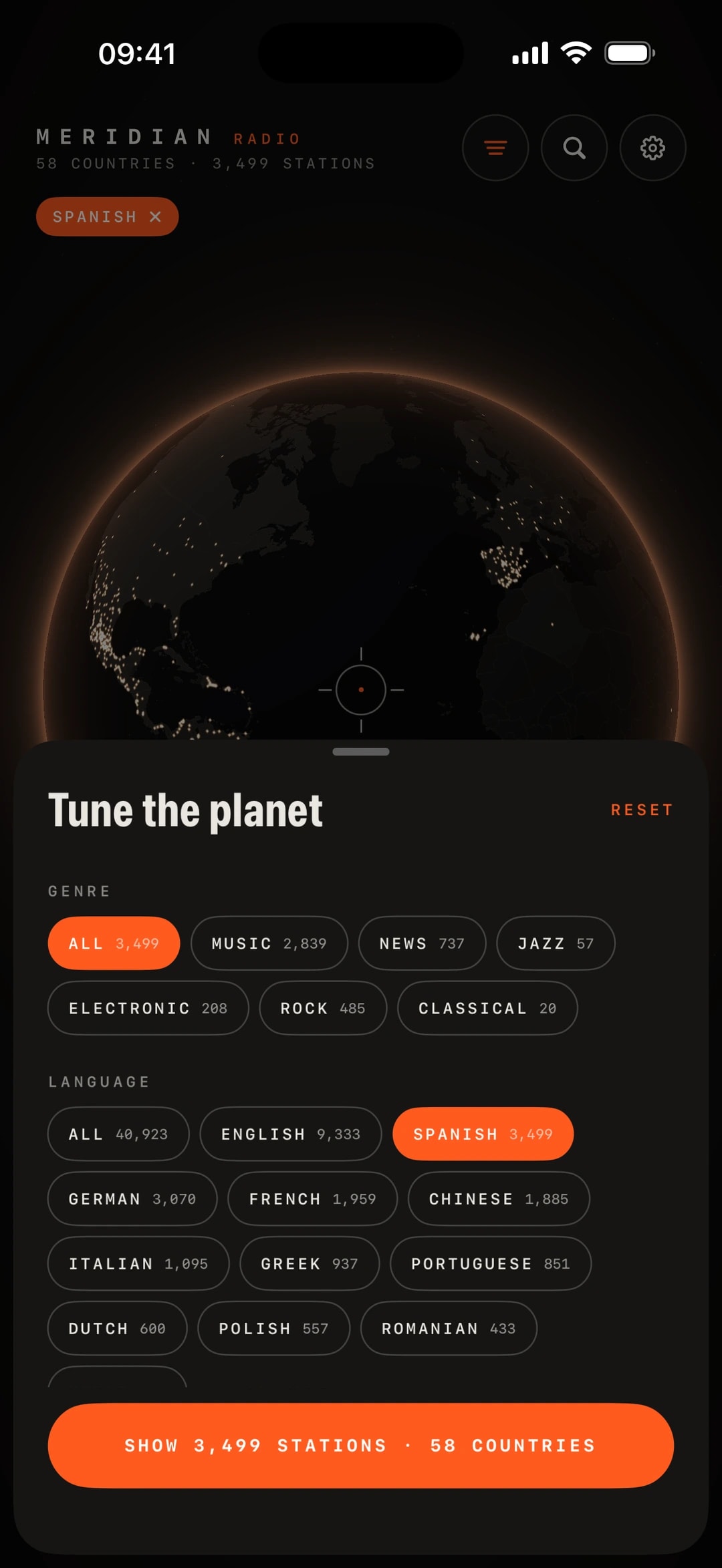
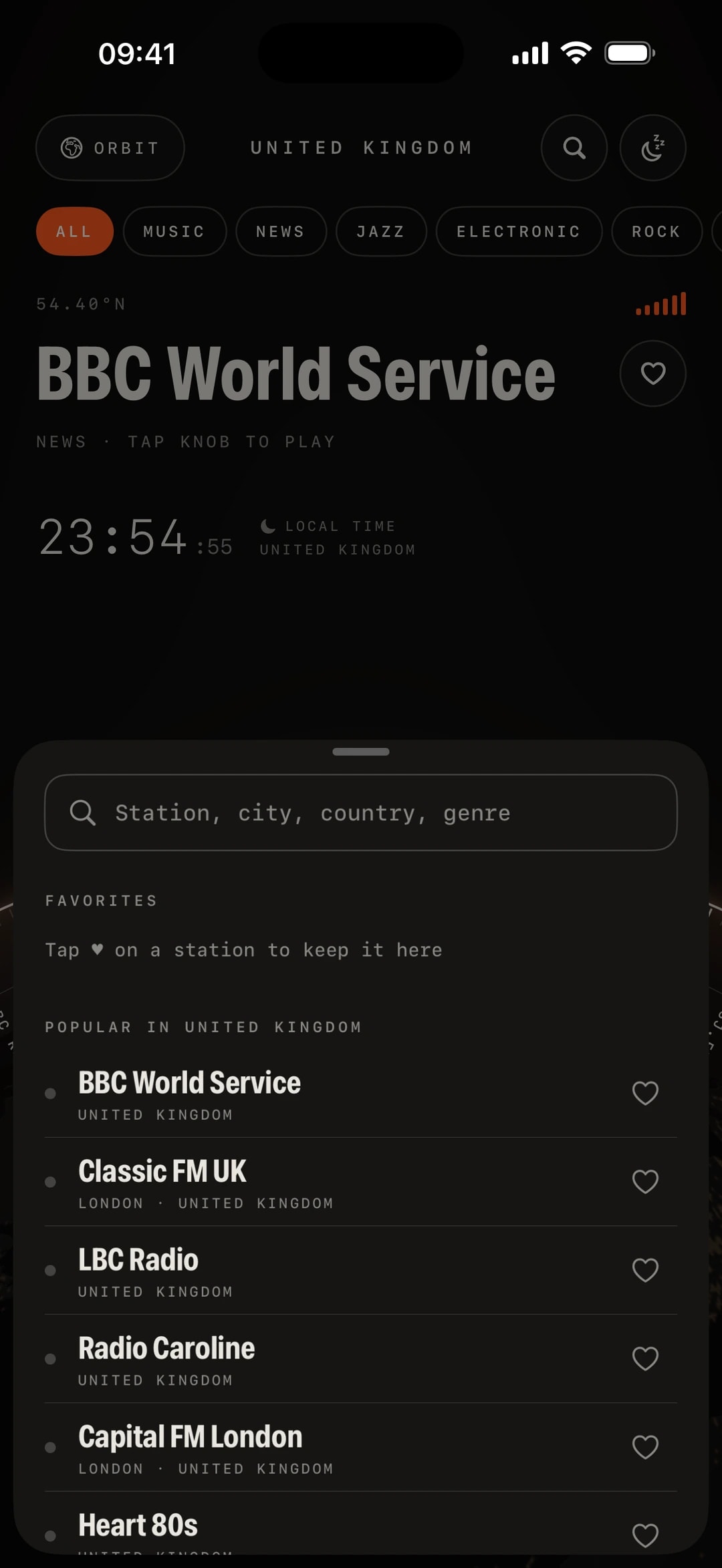
Instrument is engraved metal and one signal orange; Hologram is a cyan HUD; Chrome is a liquid-metal knob. Each works in the dark and light themes. Around the tuner: a filter that lights up only the stations in a language or genre, search and favourites, and a sleep timer and wake-up alarm set on mini dials.
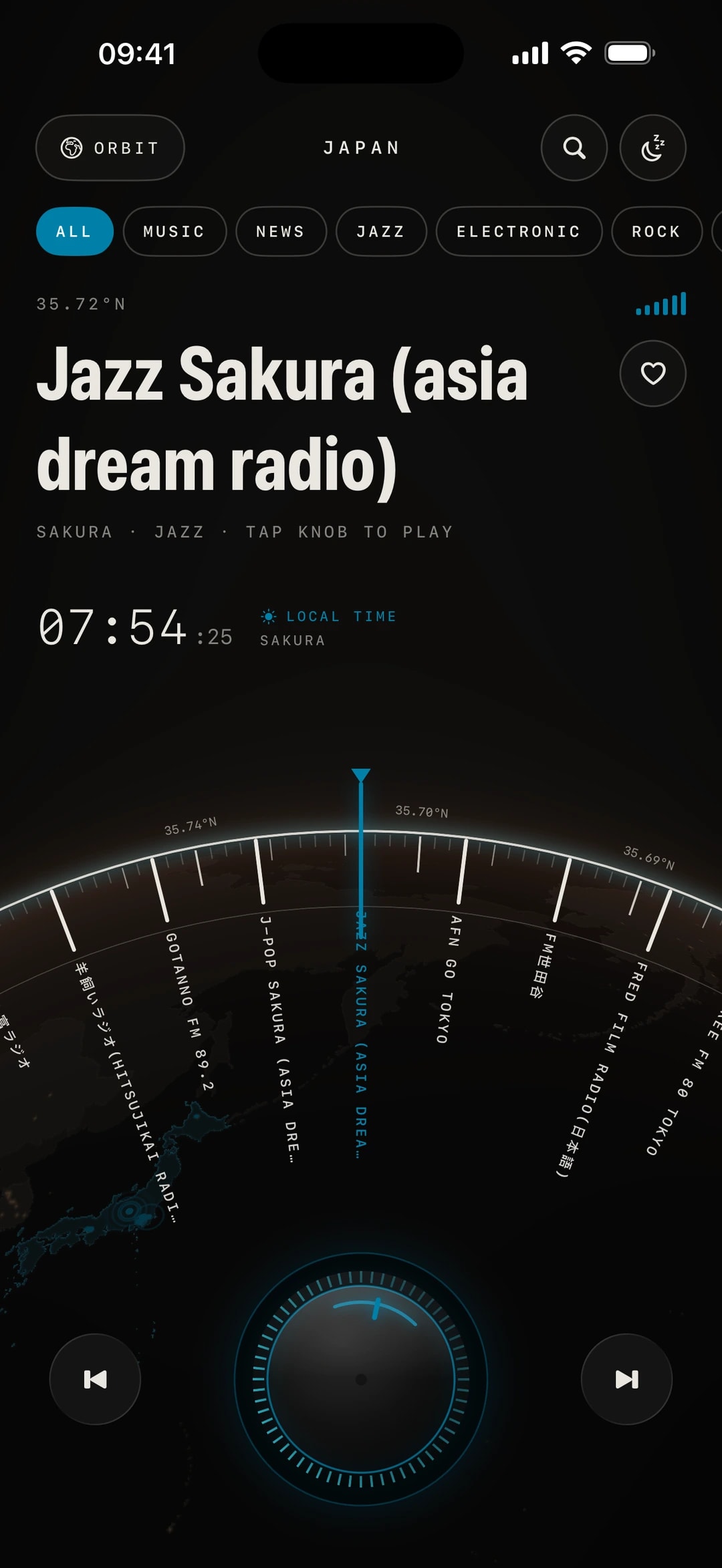
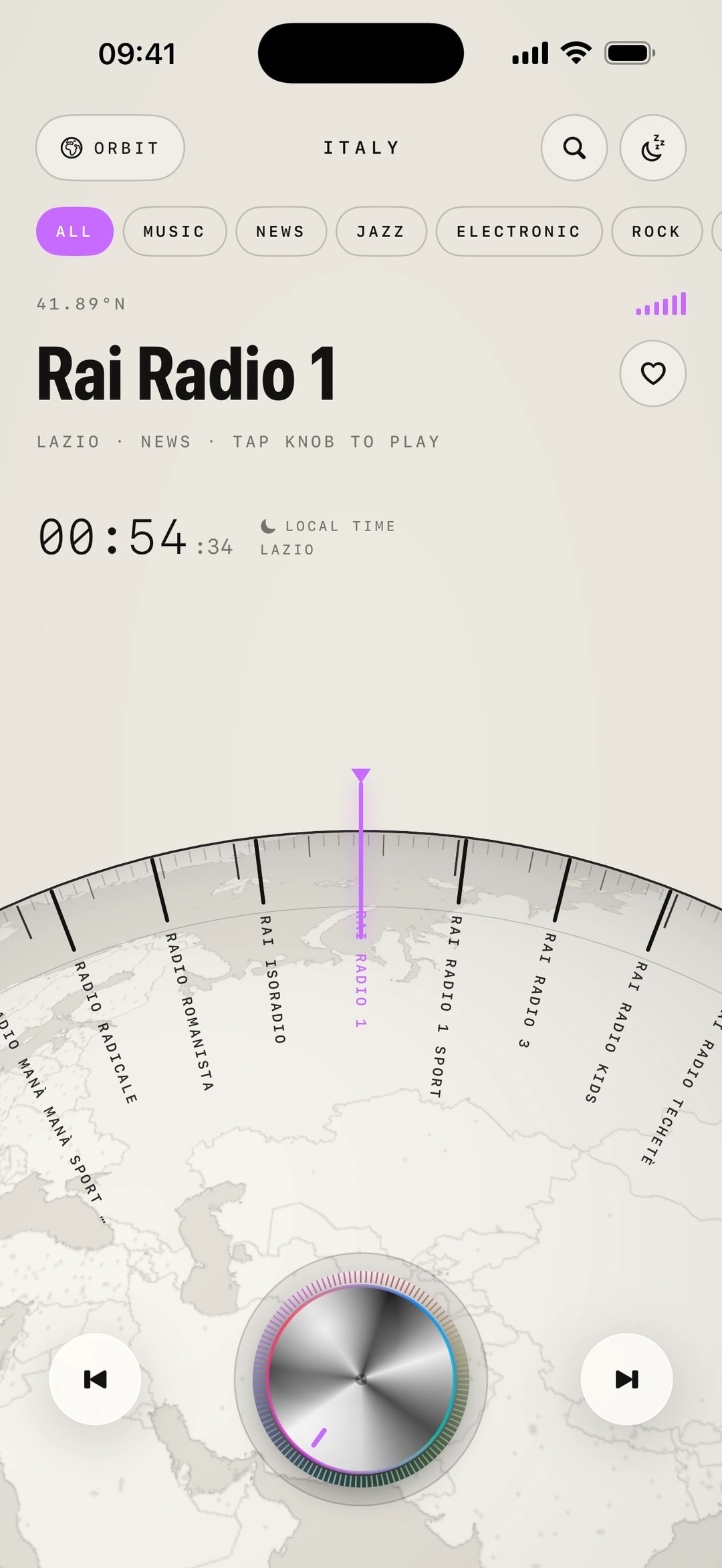
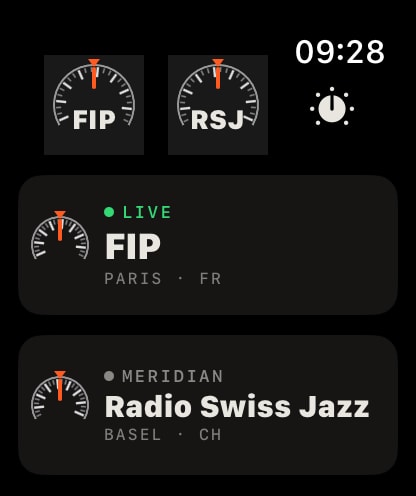
On the Mac, a small instrument panel drops from the menu bar and you tune by scrolling across the dial. The watch keeps favourites, the last station and the language in step with the iPhone, with complications on the watch face. The web player runs the same globe shader in WebGL2.
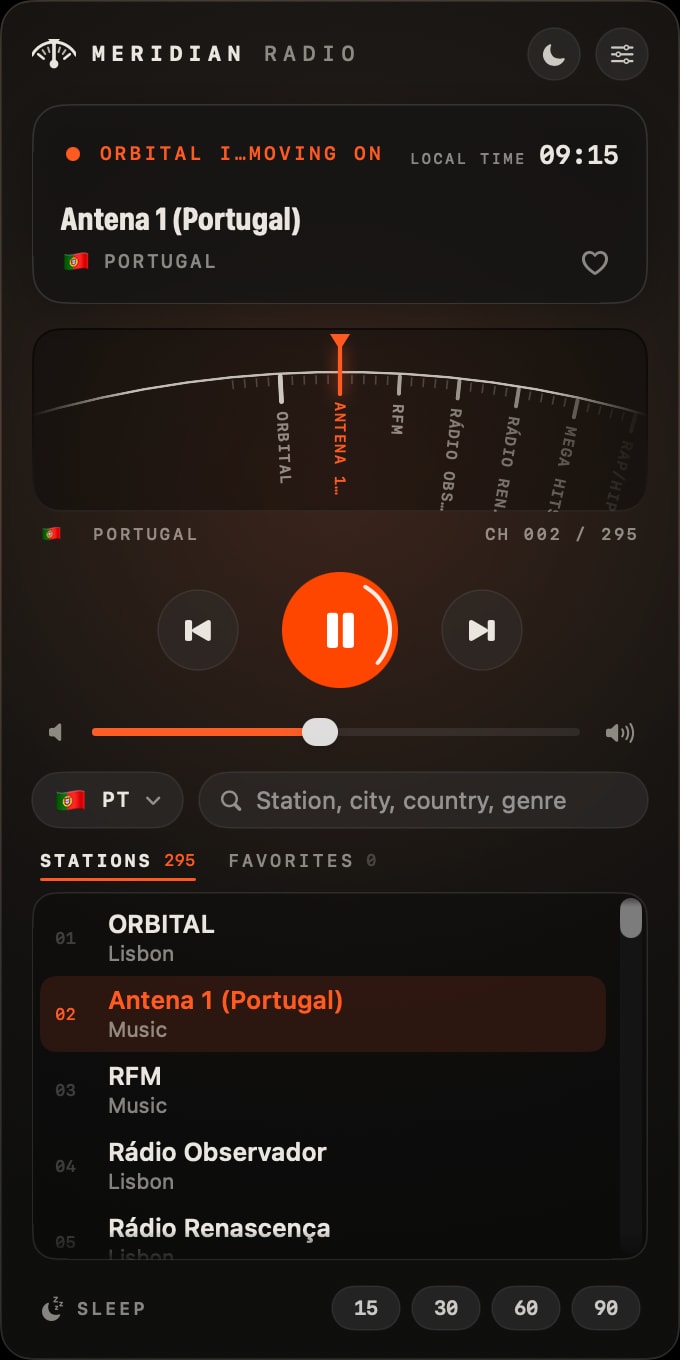
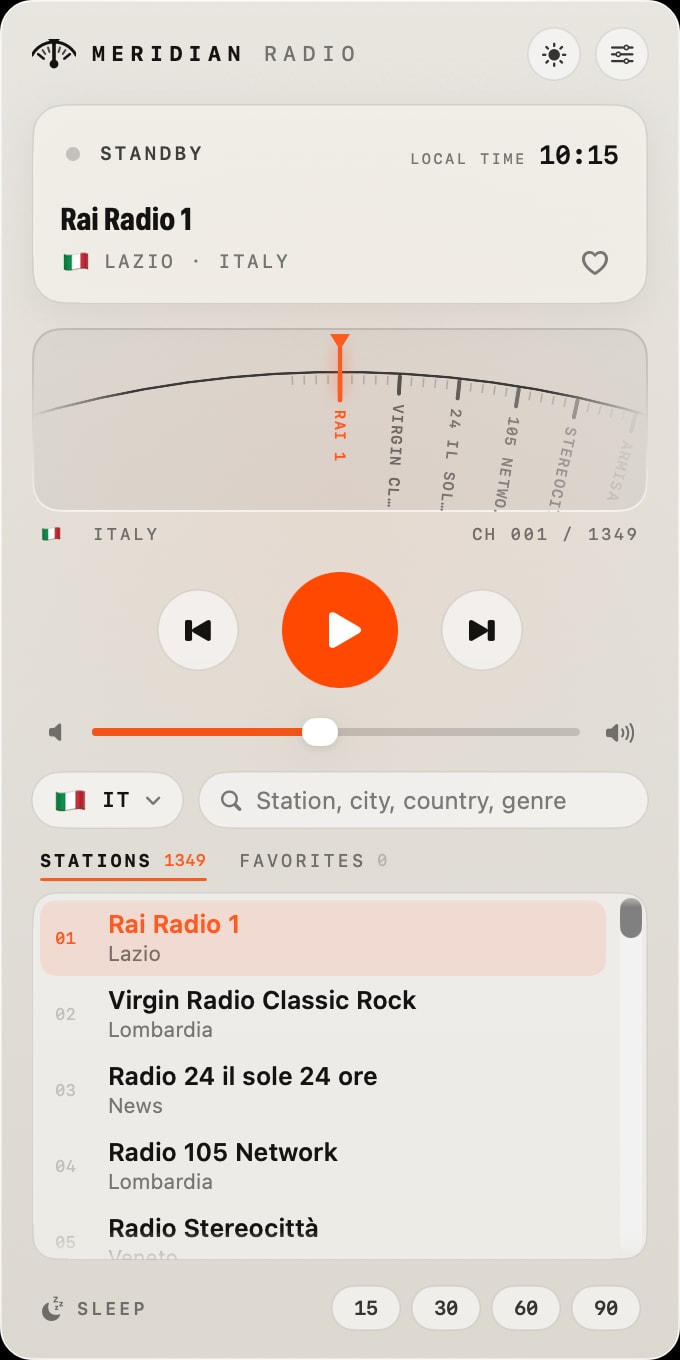
None of these show up in a design file. Each surfaced on a real device or a real stream, and each is now something we plan for in client apps from the start.
Switching stations while the dial was still spinning could leave the old station playing. The player now switches only after the needle has rested on a station for 0.18 seconds.
Community catalogs carry streams that no longer answer. An 8-second start watchdog skips them, and between stations the static is synthesized live, mixed by signal strength.
The planet renders every frame, so Compose's own test rule never sees the UI settle. Android UI tests run on UiAutomator instead, with the logic covered by JVM unit tests.
Many stations still broadcast over plain HTTP, which a secure web page cannot play. The web catalog keeps only HTTPS streams, sharded by country; the apps carry the full list.
On Android the home-screen widget can start playback after the app process has died, from the stream it saved. On iPhone, widget buttons are playback intents wired into the app's player.
Borders come from Natural Earth's Ukrainian worldview, so Ukraine is drawn in its 1991 borders, Crimea included. No stations located in Russia or occupied territories are in the catalog.
The web player is live in 8 languages. The iPhone app with its Apple Watch companion and the Mac app share one App Store record and are in review, as is the Android app on Google Play. Free, with no account.
5
iPhone with widgets, Apple Watch with complications, a Mac menu-bar app, Android with a home-screen widget, and a web player.
40,000+
From the open Radio Browser directory, geocoded city by city and placed on each country's dial from west to east.
8
English, Italian, Spanish, Portuguese, German, Russian, Ukrainian and Chinese, with store listings in 10 locales.
Need an app that people remember after the first touch?
We design the product and build it natively for iPhone and Android, with GPU graphics, audio, widgets, watch and desktop companions and store listings around it — the way we build our own.
Yes. The same team designs the product, builds native iOS and Android apps with shaders, audio, widgets and watch or desktop companions, and prepares the store listings. See mobile app design, iOS app development and Android app development.