



One gesture, one shared time
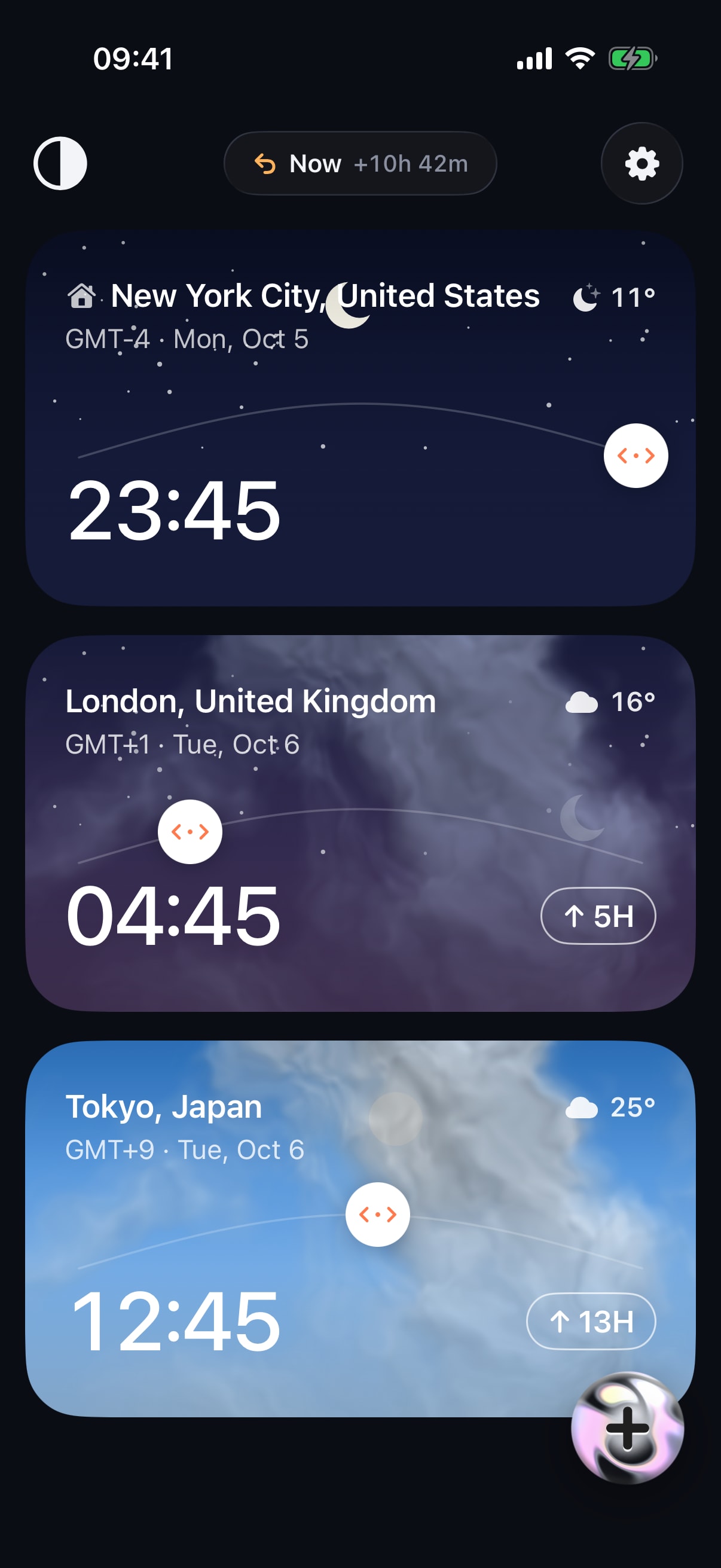
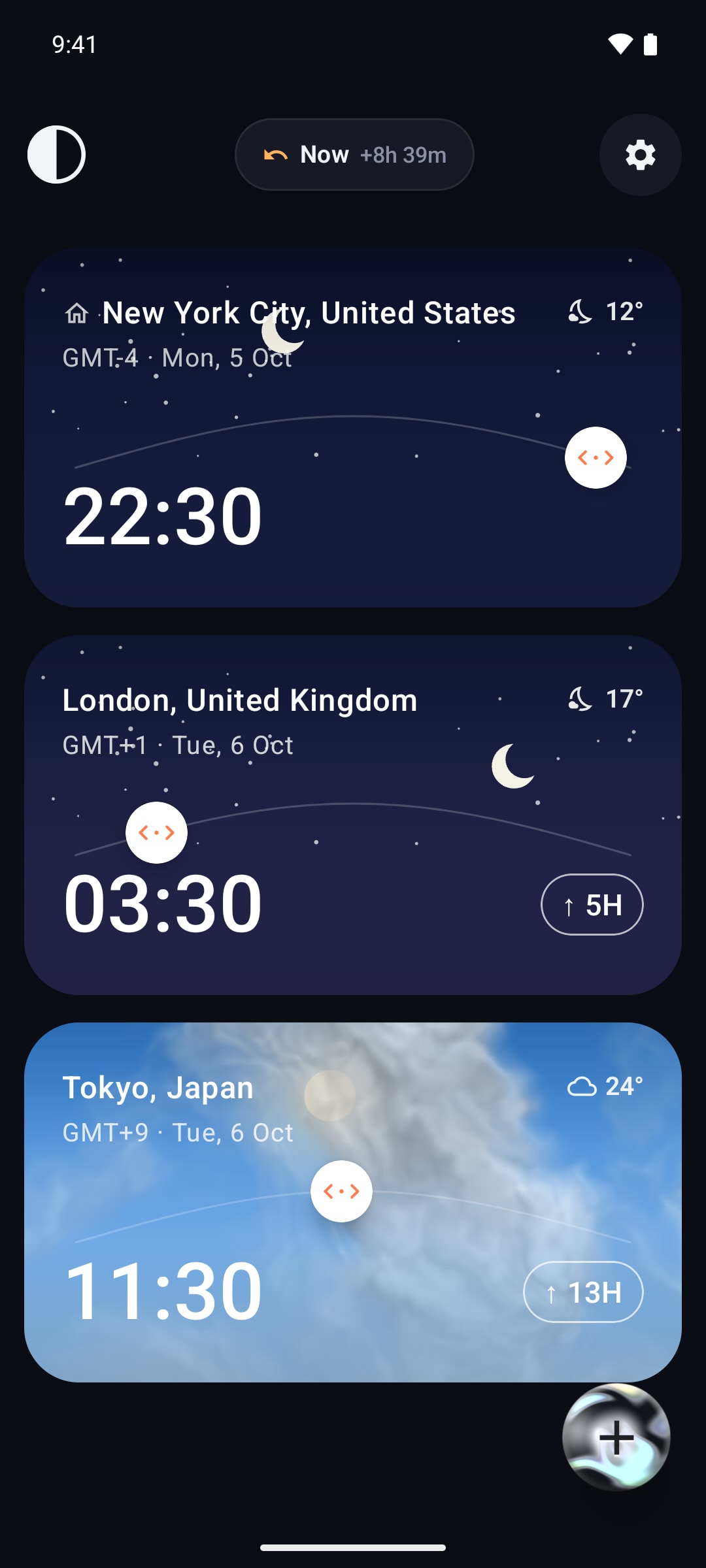
The model holds a single selected instant; empty means live now. Every card renders that instant in its own zone, so dragging any card moves all of them, in 15-minute steps.

HQ Paphos, Cyprus · worldwide
Each city is a card. Drag any card sideways and one shared time moves across all of them, with the weather for that hour on every card — so 10:00 in New York becomes Dubai and Tokyo at a glance. iPhone, Android, Mac and Apple Watch, each built natively. Timeslide is in beta, with the App Store and Google Play release coming.
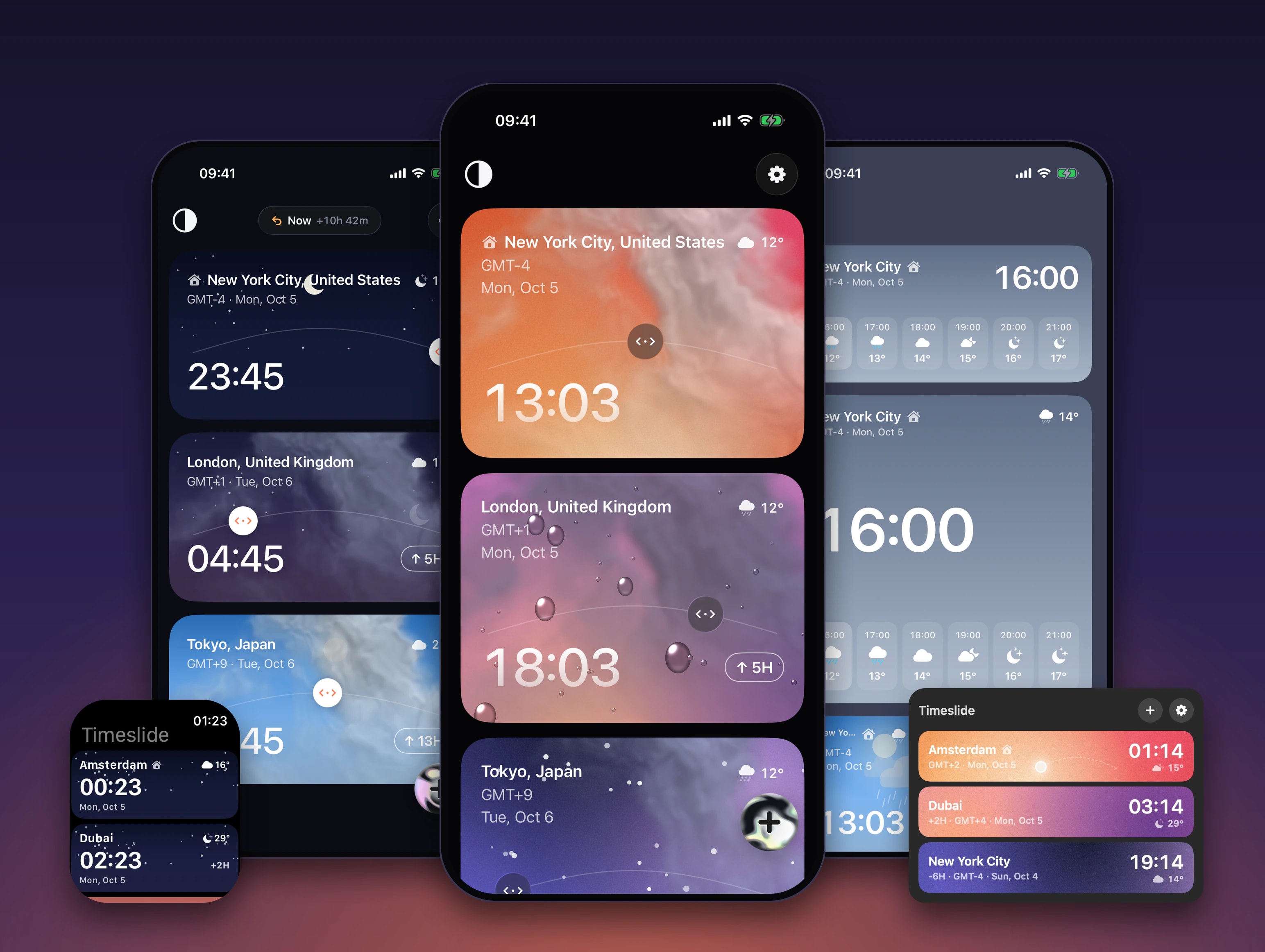

Timeslide is a SwiftUI app for iPhone with WidgetKit widgets, a Mac menu bar app and an Apple Watch app, plus a Kotlin and Jetpack Compose app for Android with Glance widgets. One drag moves one shared time across every city card in 15-minute steps. It is in beta now; the App Store and Google Play release is coming.
Remote teams, families abroad and frequent flyers all count hours on their fingers or fill in a converter form. We wanted one screen where you slide to a time and every city answers — and a product of our own to design and build on every platform it belongs on.
The model holds a single selected instant; empty means live now. Every card renders that instant in its own zone, so dragging any card moves all of them, in 15-minute steps.
SwiftUI on iPhone, Mac and Apple Watch, Kotlin and Jetpack Compose on Android. The two phone apps are feature-for-feature ports, with file names that map almost one to one.
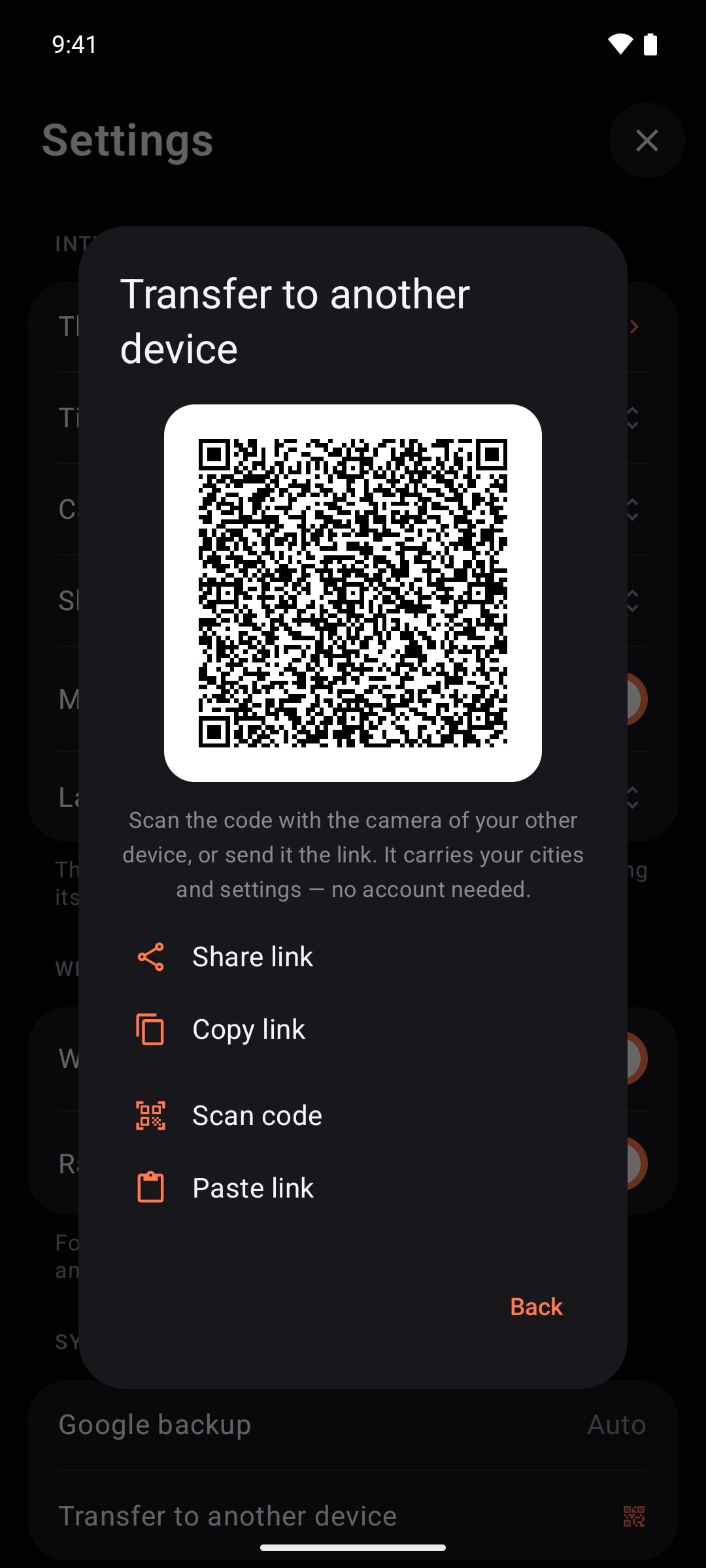
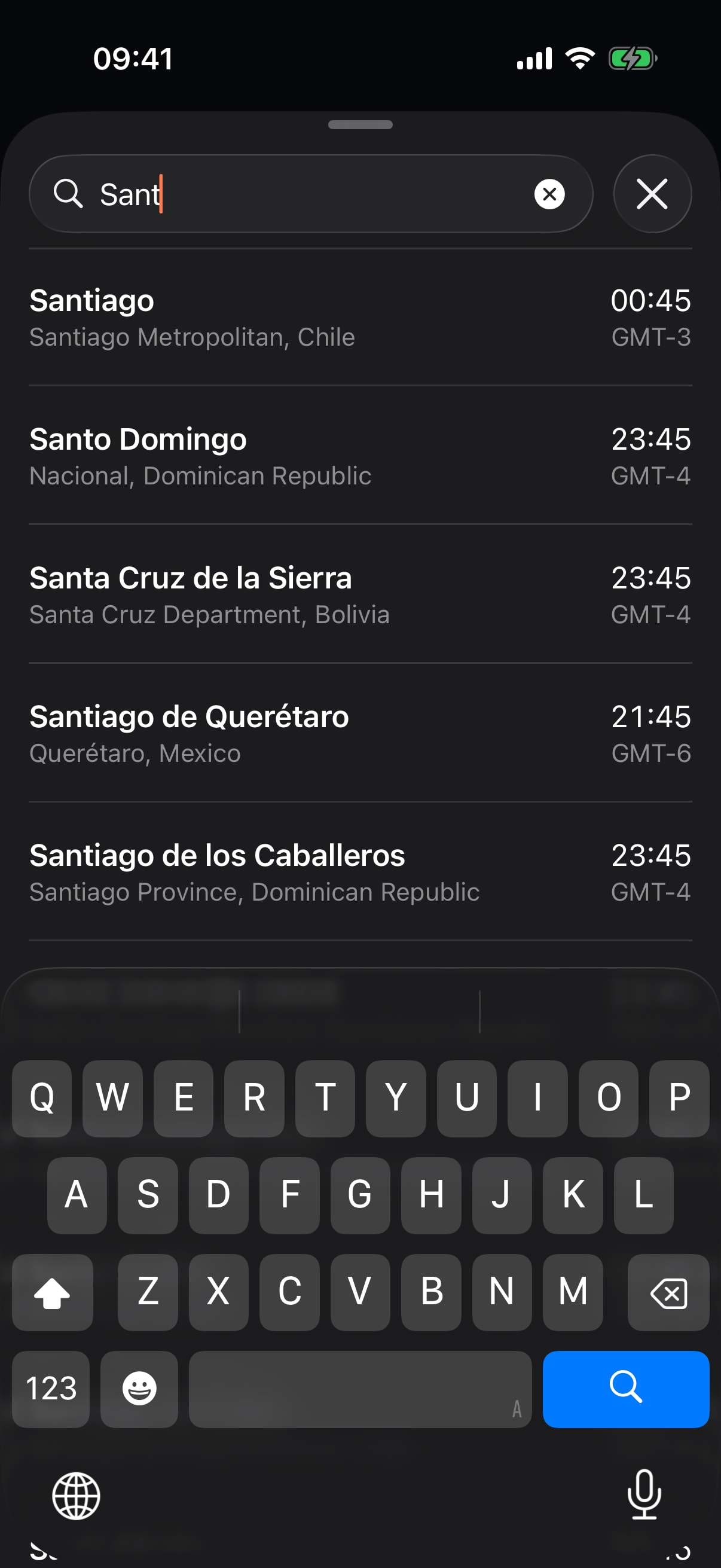
Weather requests carry only a city’s coordinates. Cities move between devices by a QR code or a link, and the 70,000-city search runs offline inside the app.
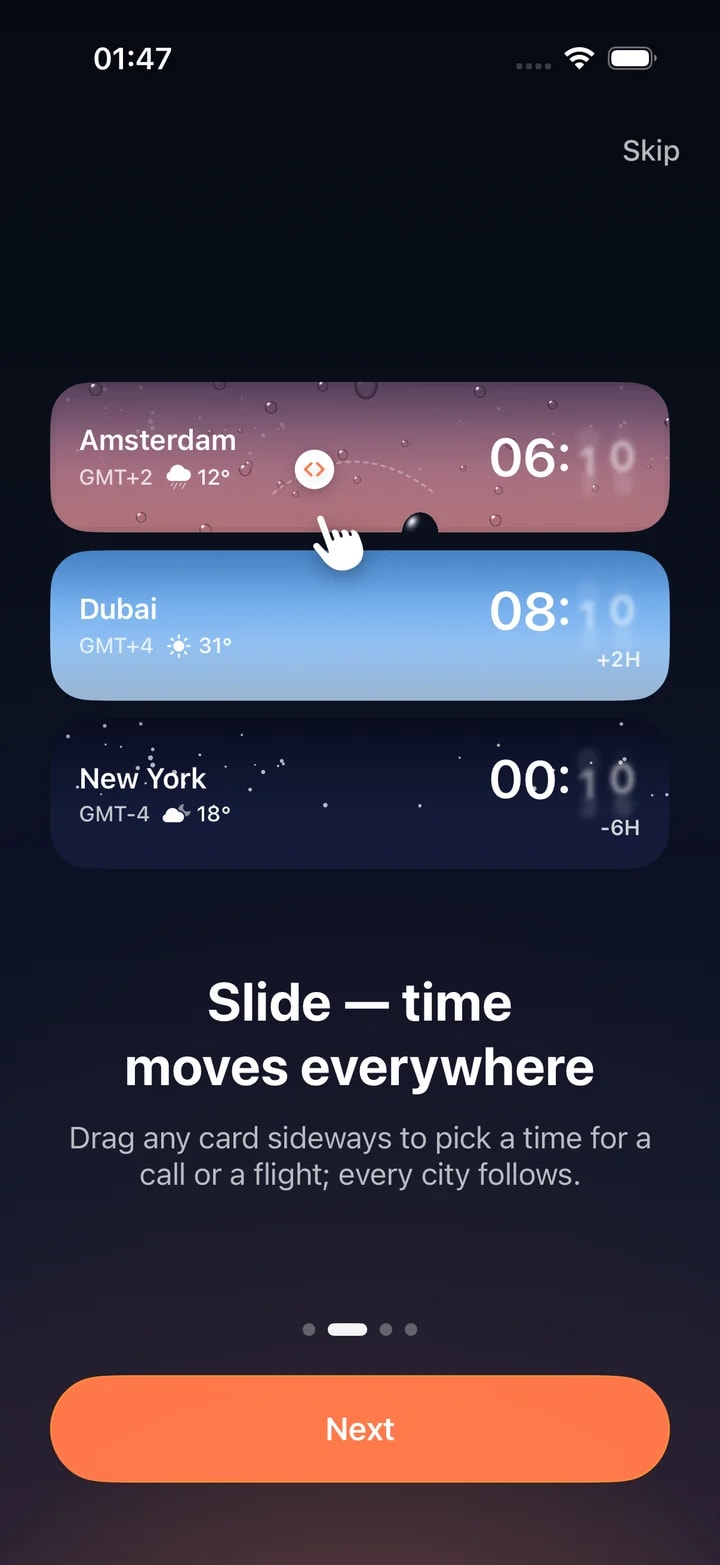
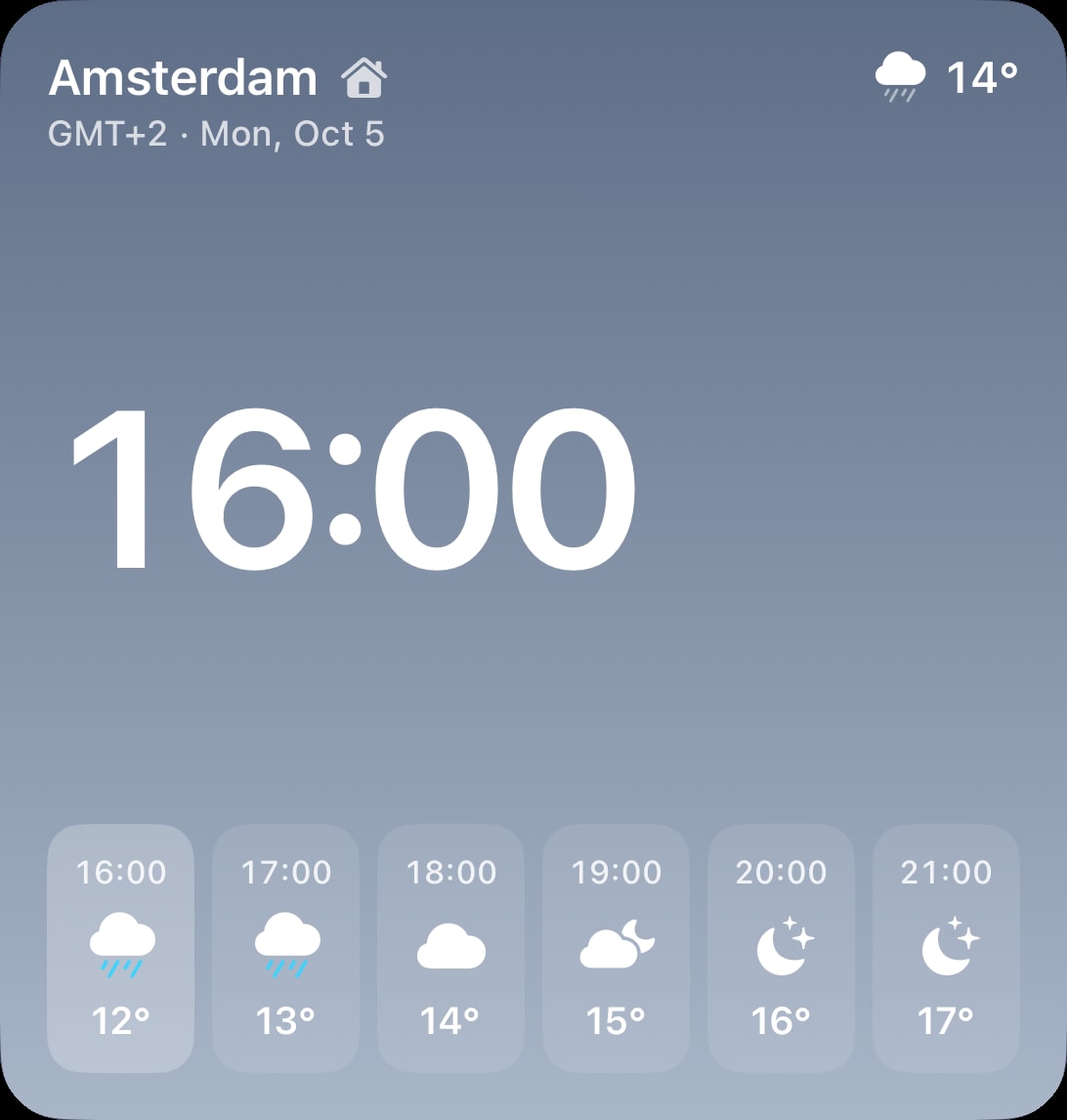
A drag adds up raw minutes and snaps them to 15-minute steps. Dates roll over, skies change, and each card shows the hourly forecast for the moment you picked. A Now pill shows how far you have moved and takes you back to live time in one tap.
One team did all of it: the product design, four native apps and their widgets, the shaders, the store screenshots and the landing site.
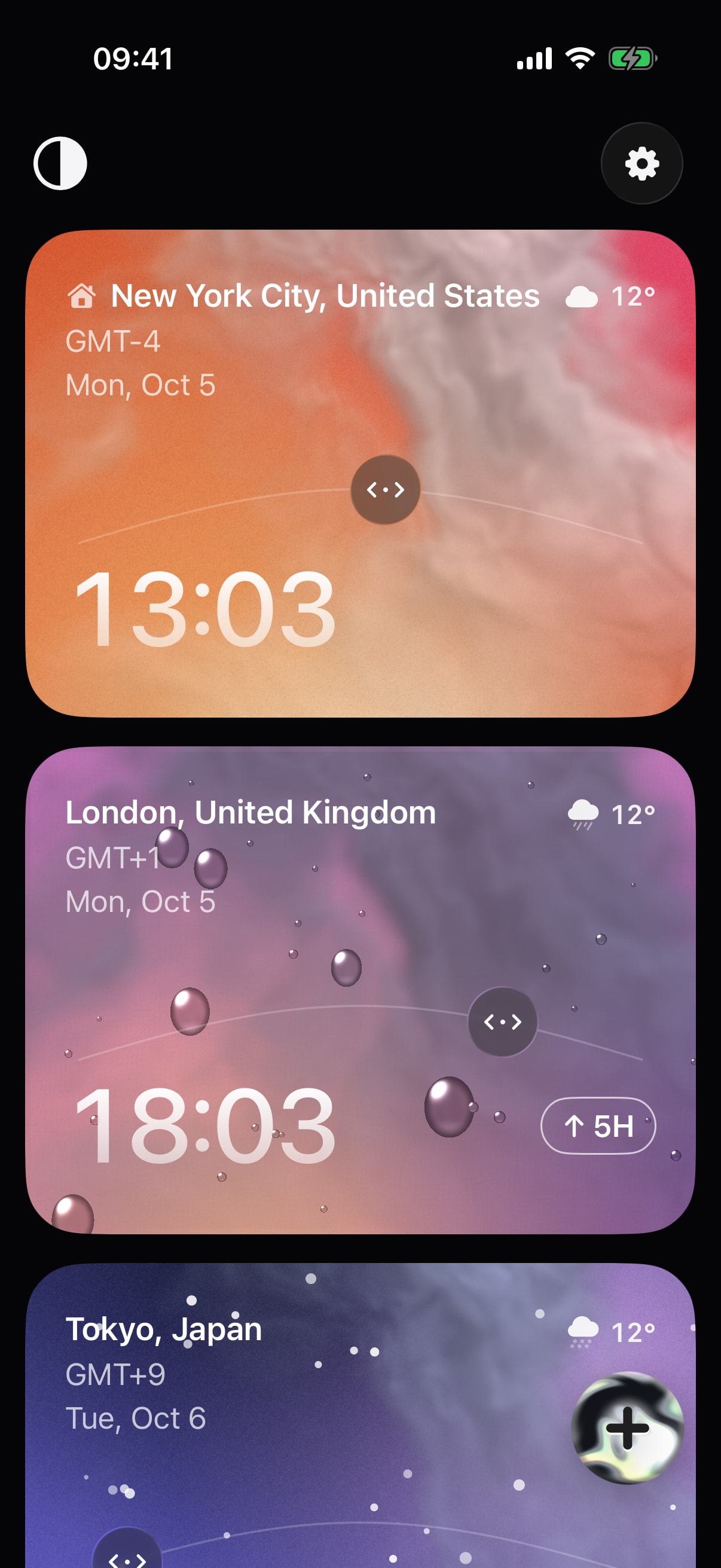
One screen of city cards and one gesture. The first city is home; every other card shows its offset from it. Then five themes, from Light to a live Sky.
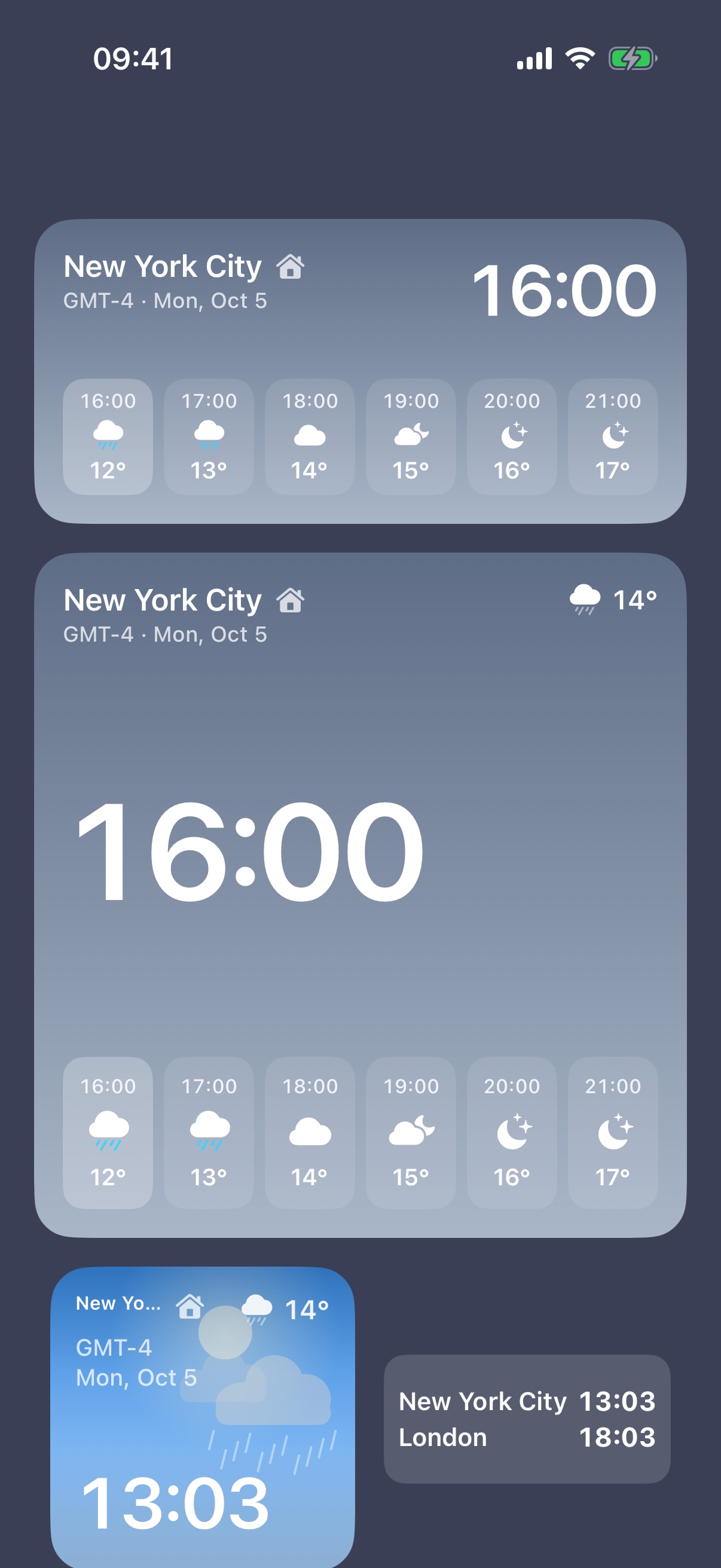
SwiftUI for iOS 26 and later, with WidgetKit Home Screen and Lock Screen widgets — city, pair, list and forecast — each with its own city, theme and 12/24-hour setting.
Kotlin 2.0 and Jetpack Compose, feature for feature, with Glance widgets. A change on one platform almost always ships on the other.
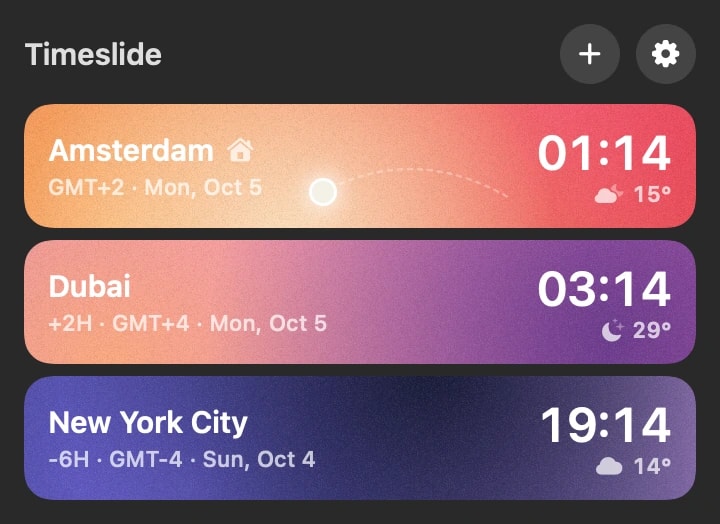
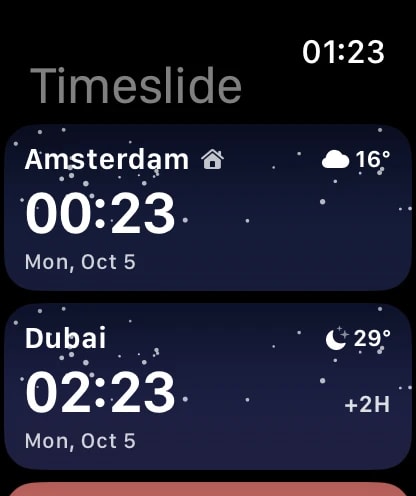
A macOS menu bar app and an Apple Watch app where the Digital Crown moves time in 15-minute detents. iCloud keeps cities and look in step across iPhone, Mac and Watch.
Open-Meteo hourly weather from yesterday to a week ahead, refreshed every 30 minutes. Clouds, rain on glass and a liquid-metal button are Metal shaders, ported to AGSL on Android.
8 languages switchable inside the app, a landing site in the same 8, and App Store and Google Play screenshot sets with keyword research per locale.
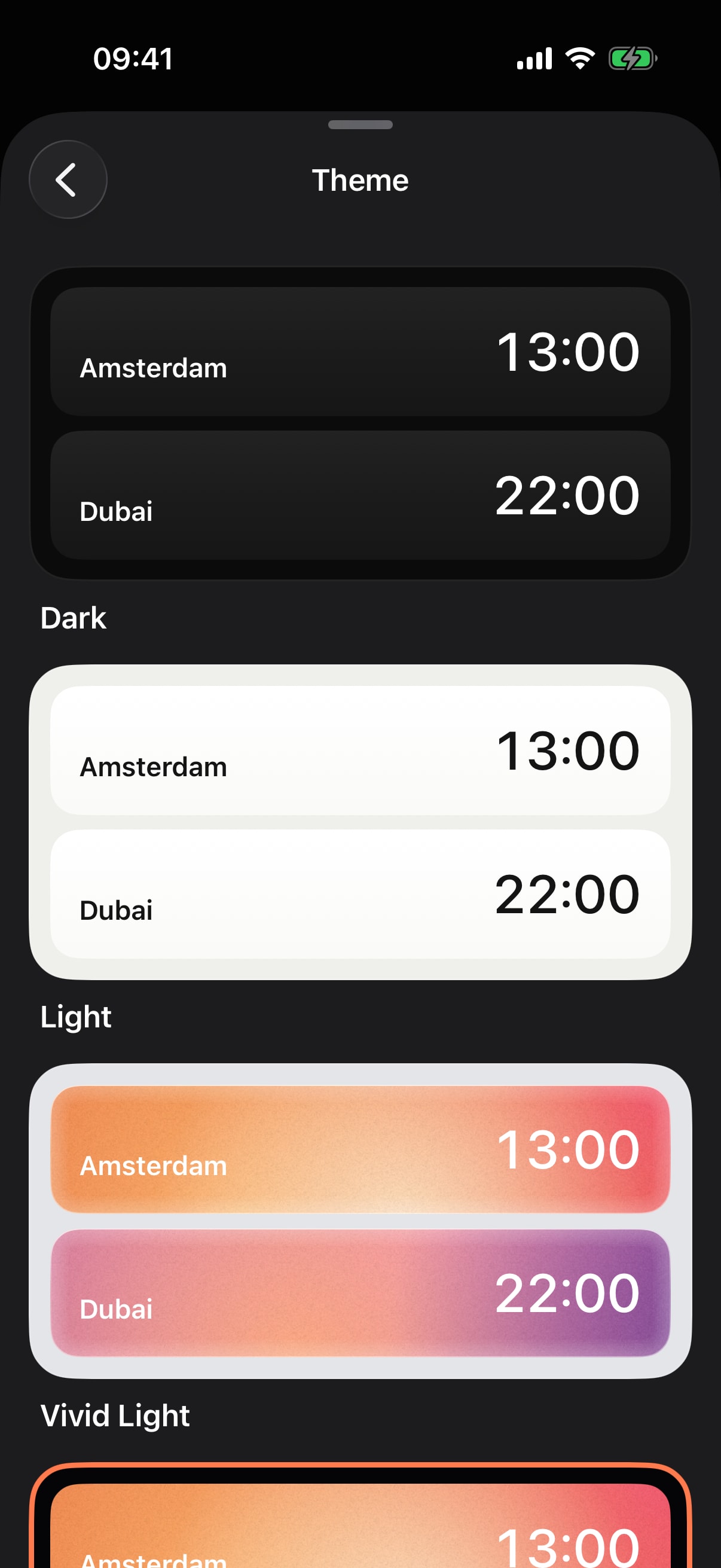
Light and Dark for every day, Vivid Light and Vivid Black for colour, and Sky, where each card paints the sky over its city at that hour. Raindrops run down the glass and clouds drift past when the forecast says so.
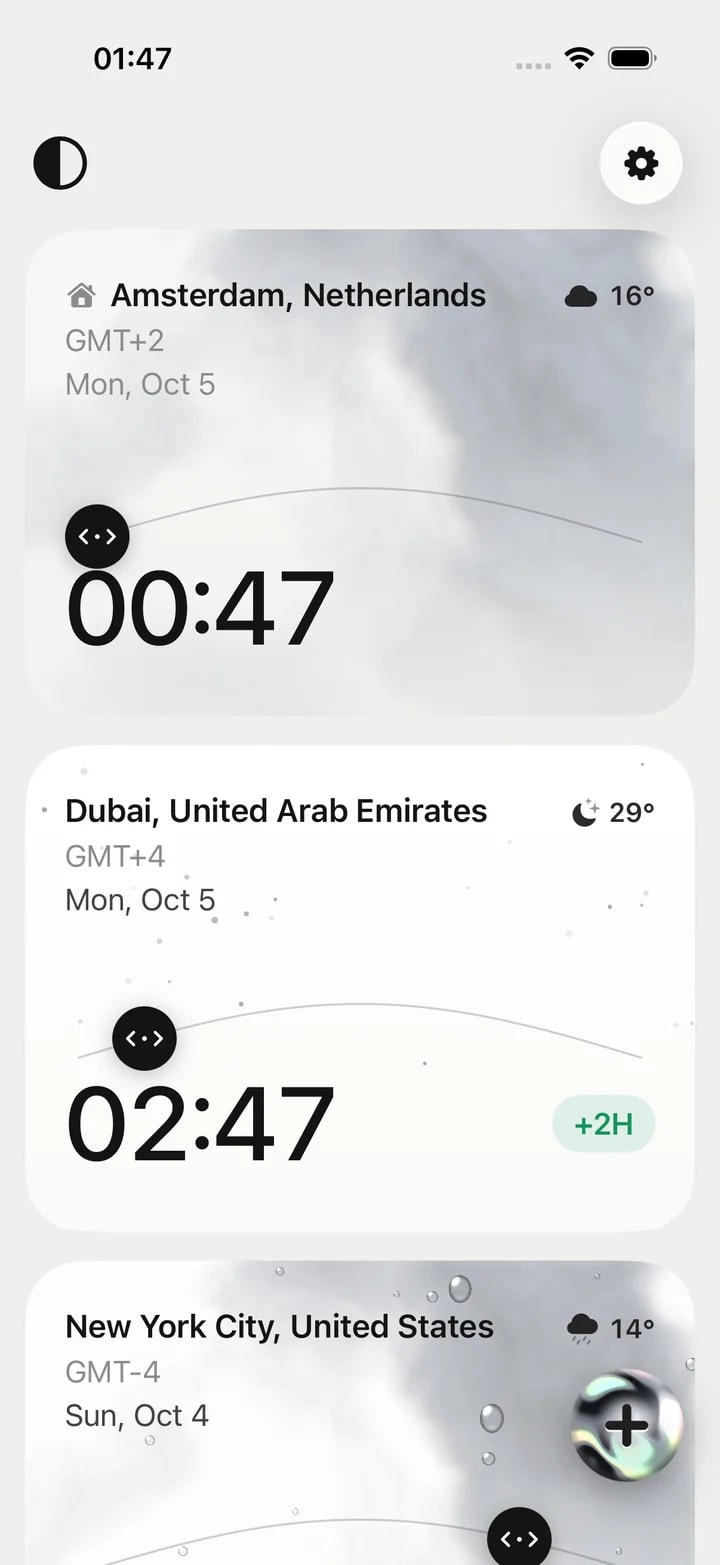
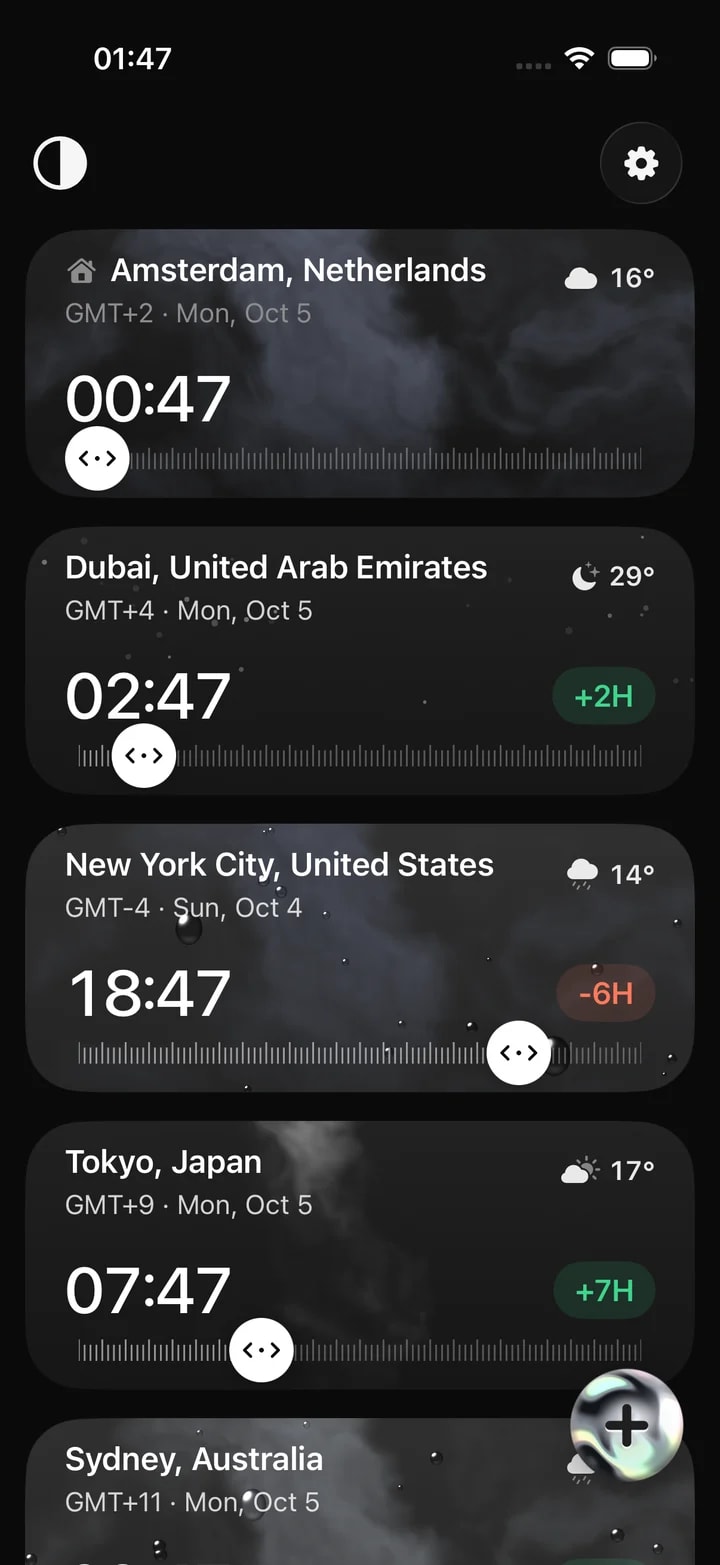
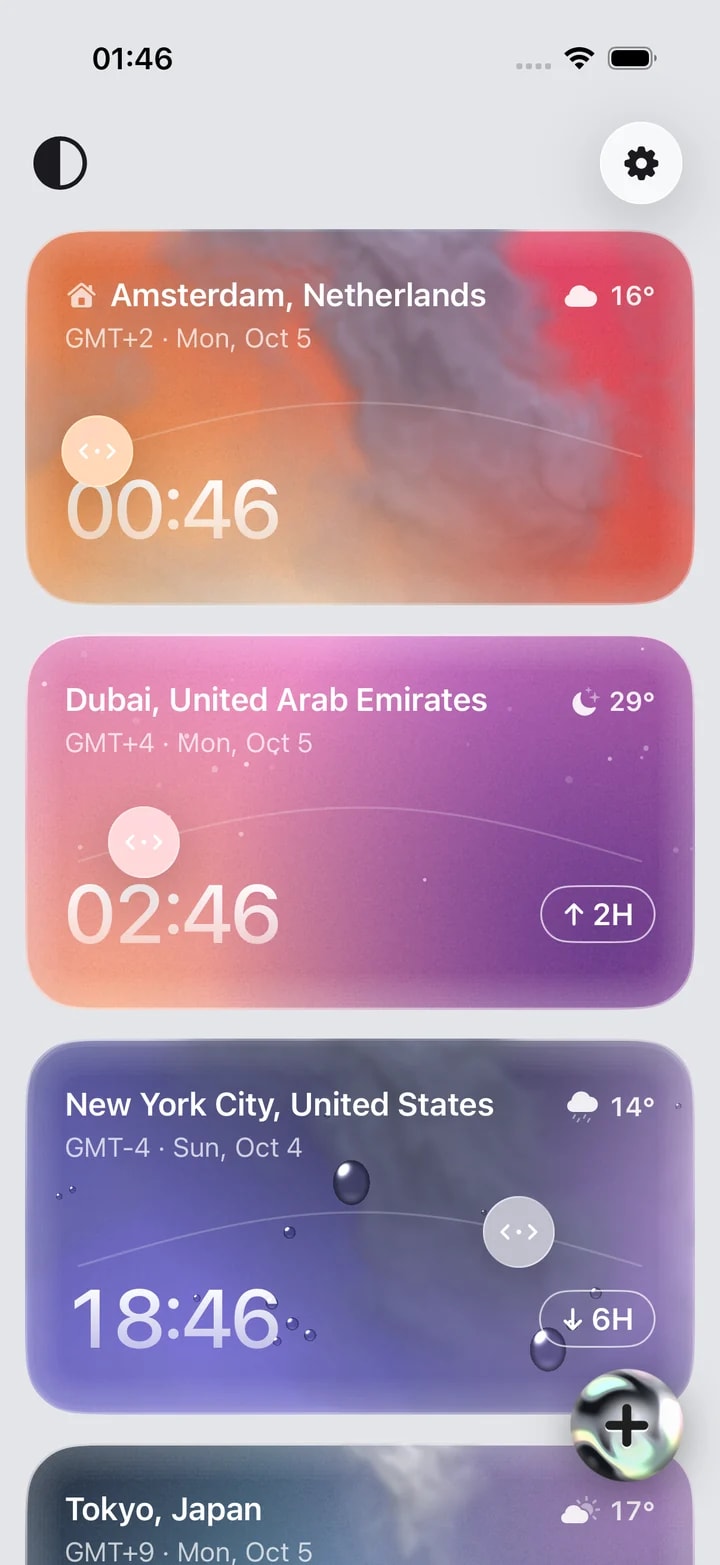
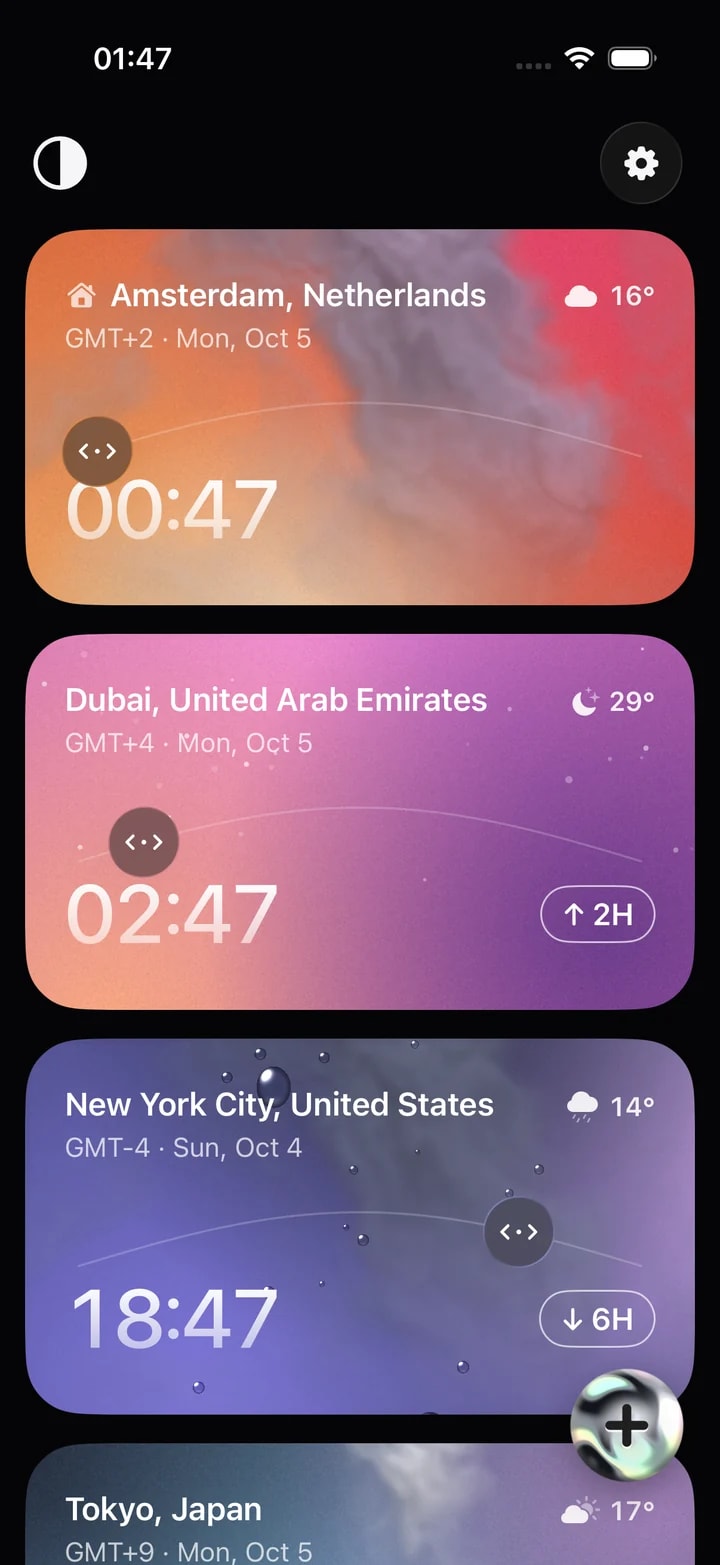
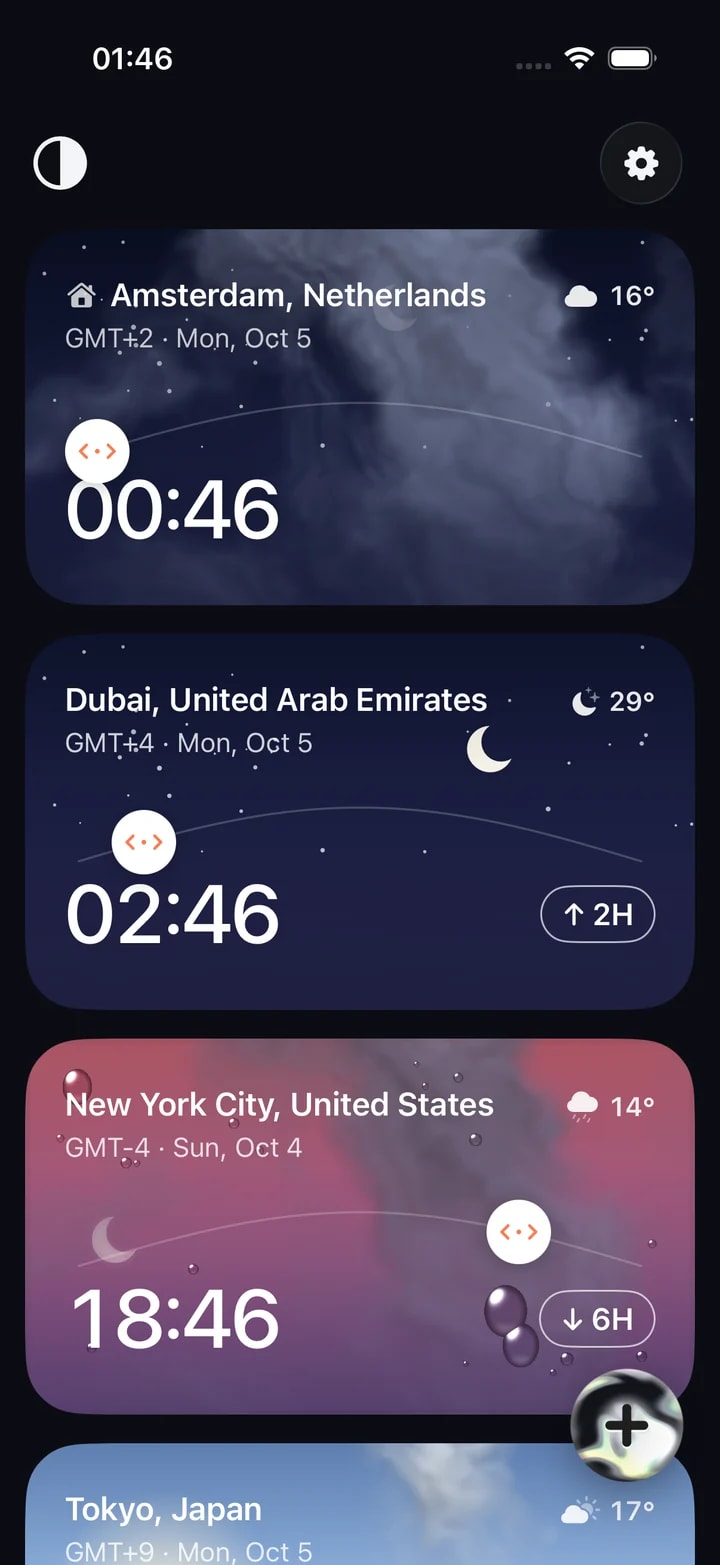
The Watch moves time with the Digital Crown; the Mac with a sideways drag, a two-finger scroll or the sun on its arc. Cities travel between iPhone and Android by QR code, with no account on either side.
None of these show up in a design file. Each surfaced on a real device, and each is now something we plan for in client apps from the start.
Cards sit in a vertical list, and dragging one sideways moves time. On iOS the pan only begins on horizontal velocity, so a vertical swipe still scrolls; on Android one gesture handler separates swipe, long-press reorder and tap.
Older devices may only know Europe/Kiev where newer ones say Europe/Kyiv. Every zone goes through one helper, so a city never falls back to the wrong time.
A Mac’s time zone only names some city in the right offset. On first launch the Mac app finds the real home city by IP geolocation, with a second provider as fallback.
iCloud sync is newest-wins, but only a user’s own edit stamps the record. A fresh install’s default cities therefore never overwrite the list already in the cloud.
Glance collapses weighted spacers, so widget layouts overlay boxes instead. The clock is a native TextClock, and backgrounds and weather art are drawn as bitmaps.
127 keys in 8 languages live in one strings.json and are generated into Kotlin and Swift, so the two apps can’t drift apart and the language can be switched inside the app.
The same cards, weather, themes, widgets and offline search on both phones. Around them: App Store and Google Play screenshot sets, and a landing site generated by a small Node script from one template and a JSON file per language, with an hreflang sitemap and GSAP and Lenis motion.
The iPhone app is in beta through TestFlight, and the App Store and Google Play release is coming. Timeslide will be free for up to 3 cities, with 0 ads, 0 accounts and 0 trackers.
4
iPhone, Android, Mac and Apple Watch, plus Home Screen and Lock Screen widgets on iPhone and Glance widgets on Android.
8
English, German, Spanish, Italian, Portuguese, Russian, Ukrainian and Chinese — switchable inside the app.
~70,000
A GeoNames city database ships inside the app, with Cyrillic names and “city, region” filtering after a comma.
Bringing your idea to life as a mobile app MVP is no small task. Launching quickly while delivering a seamless user experience is crucial to validating your concept and securing early traction.
Need an app that feels native on every device it lives on?
We design the product and build it natively for iPhone and Android, with the widgets, watch and desktop companions and store screenshots around it — the way we build our own.
Yes. The same team designs the product, builds native iOS and Android apps with widgets and watch or desktop companions, and prepares the store listings. See mobile app design, iOS app development and Android app development.